Sample client package: Ledger Grove Advisory
Every file Ledger Grove Advisory receives in the package Northline Advisory generated in the walkthrough. Both companies are fictional. Open any file to see it.
Notices, license, read-me files, the start page and the checksums are shown in full. The four working dashboards appear as screenshots, guides and editable templates as a contents outline, and the fictional samples link to their public copies: the working files themselves are part of the licensed package. The purchase reference ES-DEMO-0002 in the walkthrough is a placeholder and is not in this package.
Top level (8 files)
CHECK-YOUR-COMPUTER.html21 KB
The same one-minute computer check is public. Open it.
CLIENT-USE-NOTICE.txt723 bytes
CLIENT INTERNAL-USE NOTICE

Client: Ledger Grove Advisory
Practitioner: Northline Advisory
Allocation date: October 14, 2026

Your allocated company may retain, use and internally adapt the four supplied core kits after the engagement ends. Validly allocated client internal-use rights survive a refund or termination of the practitioner’s master license. It may not redistribute them to other companies, sell the templates, or use them to deliver services to other clients. Copyright, third-party and scope notices remain applicable. Contact your practitioner for implementation support. These materials are working aids, not legal advice, certification or independent assurance. See LICENSE.txt for your client license.
INDUSTRY-GUIDE.html8 KB
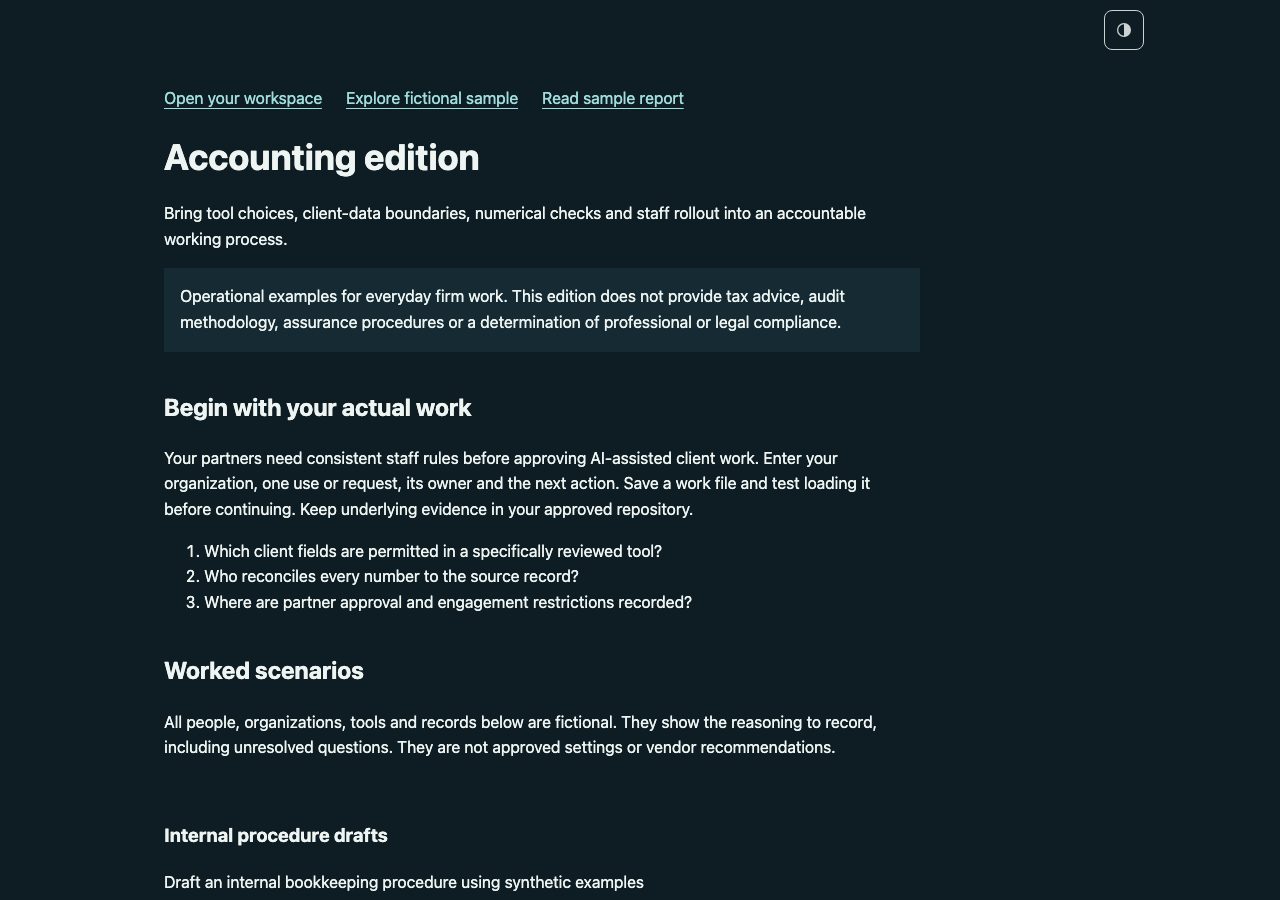
The top of the edition guide, as the client sees it.
LICENSE.txt1 KB
CLIENT LICENSE
Licensed to Ledger Grove Advisory through Northline Advisory

Prepared for: Ledger Grove Advisory
Delivered by: Northline Advisory
Allocation date: October 14, 2026

Your company has been allocated a client license by the practitioner named above. You may retain, use and internally adapt the four supplied core kits and relevant industry materials after the engagement ends. There is no expiry or separate purchase required for these copies. Validly allocated internal-use rights continue if the practitioner later refunds its master license or its license ends; you may not receive new allocations or practitioner rights under that ended purchase. You may not redistribute them to other companies, sell them or use them to deliver services to other clients. The practitioner retains responsibility for the engagement and implementation support. The included copyright, third-party notices and scope limitations remain applicable. This package is not legal advice, certification or independent assurance.

Practitioner license version 2026-10-14
https://extrasphere.com/practitioner-license
READ-ME-FIRST.txt1 KB
Ledger Grove Advisory · AI working kits · v2026.10.61

Prepared by Northline Advisory · Accounting examples
Licensed to Ledger Grove Advisory through Northline Advisory

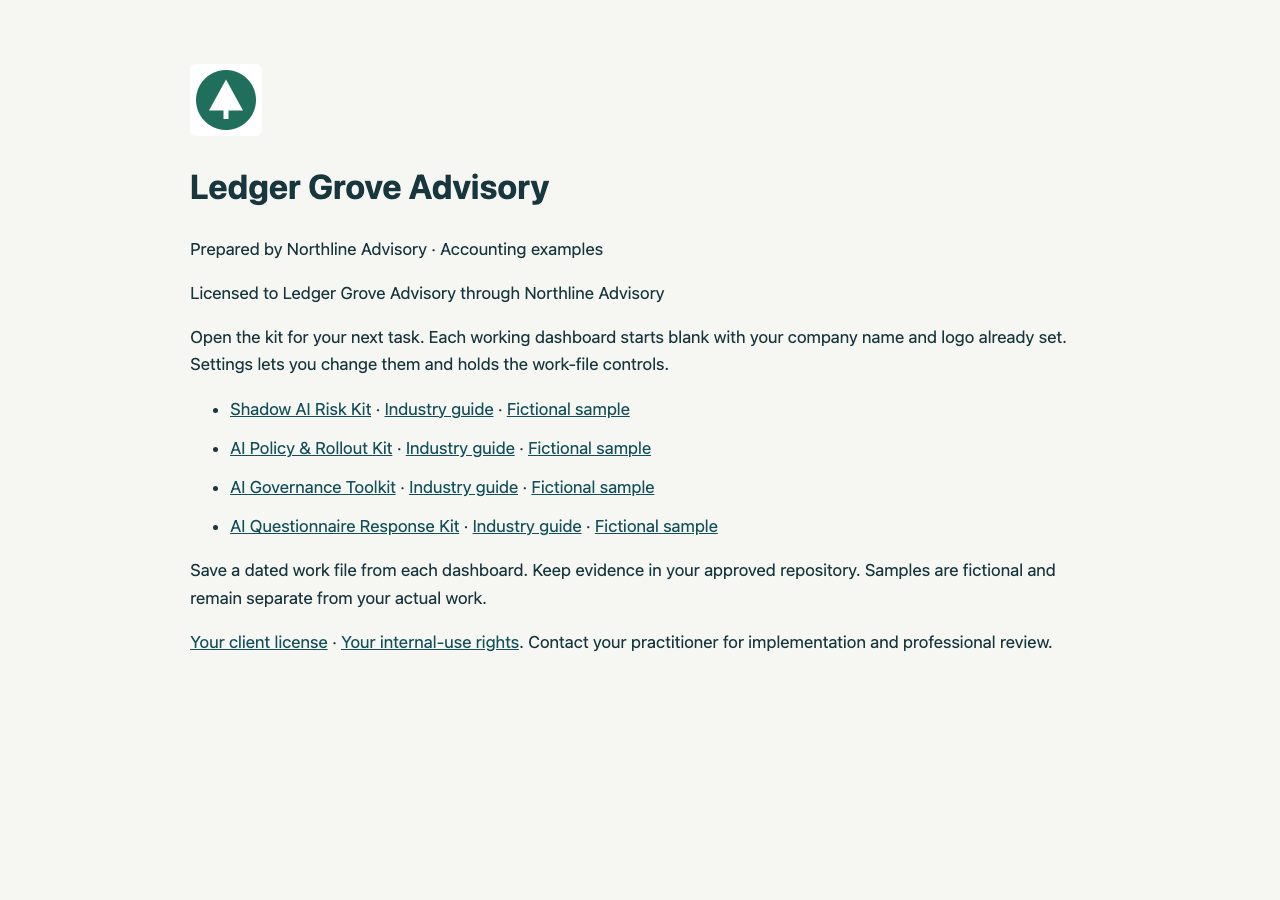
Open the kit for your next task. Each working dashboard starts blank with your company name. Settings contains the optional company logo and work-file controls.

1. Shadow AI Risk Kit: kit-shadow-ai/START-HERE.html
2. AI Policy & Rollout Kit: kit-policy/START-HERE.html
3. AI Governance Toolkit: toolkit/START-HERE.html
4. AI Questionnaire Response Kit: kit-questionnaire/START-HERE.html

The toolkit/ folder holds the AI Governance Toolkit.

START-HERE.html in this folder links each kit, its industry guide and its fictional sample. INDUSTRY-GUIDE.html has Accounting scenarios and review points for every kit in this folder. If IT set up your work laptop, open CHECK-YOUR-COMPUTER.html first.

Save a dated work file from each dashboard. Keep evidence in your approved repository. Samples are fictional and remain separate from your actual work.

Each kit suggests common answers for its key fields, including a names-only list of common AI tools. Suggestions never lock a field: type over them or add your own.

LICENSE.txt is your client license. CLIENT-USE-NOTICE.txt explains your internal-use rights. Contact your practitioner for implementation and professional review.
STAFF-EXERCISE.txt700 bytes
Accounting edition — staff exercise
Fictional scenario; adapt to your actual approved rules.

An assistant produces a plausible reconciliation with a total that differs from the ledger. Recalculate from the source, record the correction and obtain the designated review before using the result.

Discuss:
1. Which client fields are permitted in a specifically reviewed tool?
2. Who reconciles every number to the source record?
3. Where are partner approval and engagement restrictions recorded?

Record: date, facilitator, participants, policy version, decisions, unresolved questions, responsible owner and follow-up date.
An attendance or acknowledgment record does not establish understanding.
START-HERE.html8 KB
The package’s start page, as the client sees it.
manifest.json15 KB
{
  "version": "2026.10.61",
  "client": "Ledger Grove Advisory",
  "practitioner": "Northline Advisory",
  "industry": "accounting",
  "optionsVersion": "1.1",
  "kits": [
    "kit-shadow-ai",
    "kit-policy",
    "toolkit",
    "kit-questionnaire"
  ],
  "entry": "START-HERE.html",
  "files": [
    {
      "name": "CHECK-YOUR-COMPUTER.html",
      "bytes": 21029,
      "sha256": "9ce66c17eba14feceb557f7b8dfbca34b06f922a674fc61f8bb45a65e2448a5c"
    },
    {
      "name": "CLIENT-USE-NOTICE.txt",
      "bytes": 723,
      "sha256": "494106c56d65557812434dfc7ef72fa8e83df376879d410b0b1f44eaad9c570b"
    },
    {
      "name": "INDUSTRY-GUIDE.html",
      "bytes": 8270,
      "sha256": "b7506f51ab17a4d428796ee61948baf8d6870d56b3c2a6c5345fda4a4ee84e5d"
    },
    {
      "name": "LICENSE.txt",
      "bytes": 1107,
      "sha256": "c0db91552257d6808ef22836be2c227c93e787566a8069113b49e79b955ce7cb"
    },
    {
      "name": "READ-ME-FIRST.txt",
      "bytes": 1352,
      "sha256": "75a1cff75c4a6112161b89c161a028137804a56594e5fb31f7cf78cb4e04ef90"
    },
    {
      "name": "STAFF-EXERCISE.txt",
      "bytes": 700,
      "sha256": "1adb44dbf217621e8c3e5c1c58506a3f49a939cad99d58aa400b97036245f011"
    },
    {
      "name": "START-HERE.html",
      "bytes": 8196,
      "sha256": "170b91c72b233698620bdae1daa3db21bc3b1b89807feab8a7b2a92e2973323b"
    },
    {
      "name": "kit-policy/ACKNOWLEDGMENT-FORM.txt",
      "bytes": 637,
      "sha256": "6a0d355de9b42b275a7e69121f5aba3c55710f76d6dcbc3b37551bd6e03f9e4f"
    },
    {
      "name": "kit-policy/AI-Completion-Guide.html",
      "bytes": 25286,
      "sha256": "a32cd5c349583ef7c36a6f8b7d48798029d0fe242ca653a2c56b6b5a88ede749"
    },
    {
      "name": "kit-policy/ALL-HANDS-EMAIL.txt",
      "bytes": 586,
      "sha256": "3a8e59df417b525f30554cfe644e6818a1875fcf2bd52c0de72ab32c98dc8d72"
    },
    {
      "name": "kit-policy/CHECK-YOUR-COMPUTER.html",
      "bytes": 21017,
      "sha256": "d737675250f6a2b8bb827af7b67962af88c747caaaae56acda00df7e10f6eafc"
    },
    {
      "name": "kit-policy/CLIENT-USE-NOTICE.txt",
      "bytes": 723,
      "sha256": "494106c56d65557812434dfc7ef72fa8e83df376879d410b0b1f44eaad9c570b"
    },
    {
      "name": "kit-policy/IF-SOMETHING-IS-BLOCKED.txt",
      "bytes": 1499,
      "sha256": "0e355ba589fd9810a916a333e8fc887c6c31c80cc0b083b66c9aabc6868a03da"
    },
    {
      "name": "kit-policy/INDUSTRY-GUIDE.html",
      "bytes": 10274,
      "sha256": "e2f430ba7522cb2e6d06ef76a1543ee679968f5f41ac51a741db4da90f6694c2"
    },
    {
      "name": "kit-policy/KIT-GUIDE.html",
      "bytes": 8172,
      "sha256": "56473b615fb8e44b25acc9d35ad1fe2b1befd79de21c83eacab387b9193817d4"
    },
    {
      "name": "kit-policy/LICENSE.txt",
      "bytes": 1107,
      "sha256": "c0db91552257d6808ef22836be2c227c93e787566a8069113b49e79b955ce7cb"
    },
    {
      "name": "kit-policy/MANAGER-BRIEFING.txt",
      "bytes": 758,
      "sha256": "5b129e041de6058fee24ebf2f4ddbdf5602196ebf8f48dca9bbabef6283d4e81"
    },
    {
      "name": "kit-policy/Questionnaire.csv",
      "bytes": 64,
      "sha256": "3ce07c9c0ac419d25d396844347b00425e23a95b723af229e0e94a84561713fc"
    },
    {
      "name": "kit-policy/READ-ME-FIRST.txt",
      "bytes": 2458,
      "sha256": "f6e460d149cc99bb4c9cab0099724550bda5449ad0ed215b2abcc61b133b27d9"
    },
    {
      "name": "kit-policy/Reference/License-and-scope.txt",
      "bytes": 1107,
      "sha256": "c0db91552257d6808ef22836be2c227c93e787566a8069113b49e79b955ce7cb"
    },
    {
      "name": "kit-policy/Reference/Sources-and-scope.txt",
      "bytes": 530,
      "sha256": "4aa66b43dc700a5d4a5ff3f0c6566aa84e4a78b5934541536539b965332f2f6f"
    },
    {
      "name": "kit-policy/Reference/Templates.docx",
      "bytes": 12153,
      "sha256": "2232c12f29d81f8a1731b5c37c7b79b1bf4afa25ef27945c97160bdbce78b523"
    },
    {
      "name": "kit-policy/STAFF-EXERCISE.txt",
      "bytes": 700,
      "sha256": "1adb44dbf217621e8c3e5c1c58506a3f49a939cad99d58aa400b97036245f011"
    },
    {
      "name": "kit-policy/START-HERE.html",
      "bytes": 1086802,
      "sha256": "1778632c2b5008b5a4c8abf2bf1506c4b607747d646169745c149a9a744e5bd2"
    },
    {
      "name": "kit-policy/Sample-Dashboard.html",
      "bytes": 1090694,
      "sha256": "ef930c5258999a3d6cab1b7c3f1e94208eaa0c5c8c614f4f5cedbc65b31e5475"
    },
    {
      "name": "kit-policy/Sample-Report.html",
      "bytes": 19639,
      "sha256": "2ed0432c405662c4a15743983169594691e42eb220628581c764ba6795d5aef2"
    },
    {
      "name": "kit-policy/Sample-Report.pdf",
      "bytes": 33061,
      "sha256": "6646015d5753adb11064e20a77b935b0898eed47ec89a7fe8c3db102fc3db585"
    },
    {
      "name": "kit-policy/Staff-Briefing.html",
      "bytes": 5853,
      "sha256": "a18ada16e47c534f170ec2d37df41a8e1cd53cda133359ca5293233b705f03c0"
    },
    {
      "name": "kit-policy/manifest.json",
      "bytes": 3477,
      "sha256": "e2303b53e56d24004f63c77a19164501ecfdcb028fc135aada5751411ca10d42"
    },
    {
      "name": "kit-questionnaire/AI-Completion-Guide.html",
      "bytes": 23693,
      "sha256": "39e5217fe90dc52e2632341f7934796d690c73cd4b06d436ebaf2e4298b844bd"
    },
    {
      "name": "kit-questionnaire/CHECK-YOUR-COMPUTER.html",
      "bytes": 21019,
      "sha256": "743898c6aa047e0eb15ebfad9a78113885c334e5098cc2fc7aaf27c0663cc713"
    },
    {
      "name": "kit-questionnaire/CLIENT-USE-NOTICE.txt",
      "bytes": 723,
      "sha256": "494106c56d65557812434dfc7ef72fa8e83df376879d410b0b1f44eaad9c570b"
    },
    {
      "name": "kit-questionnaire/IF-SOMETHING-IS-BLOCKED.txt",
      "bytes": 1499,
      "sha256": "0e355ba589fd9810a916a333e8fc887c6c31c80cc0b083b66c9aabc6868a03da"
    },
    {
      "name": "kit-questionnaire/INDUSTRY-GUIDE.html",
      "bytes": 10274,
      "sha256": "e2f430ba7522cb2e6d06ef76a1543ee679968f5f41ac51a741db4da90f6694c2"
    },
    {
      "name": "kit-questionnaire/KIT-GUIDE.html",
      "bytes": 8129,
      "sha256": "6859294bc714f605e67aefcdf1a18c417ad9fea4b472c5e9efdee39e2b03bbdc"
    },
    {
      "name": "kit-questionnaire/LICENSE.txt",
      "bytes": 1107,
      "sha256": "c0db91552257d6808ef22836be2c227c93e787566a8069113b49e79b955ce7cb"
    },
    {
      "name": "kit-questionnaire/READ-ME-FIRST.txt",
      "bytes": 2448,
      "sha256": "497a492d6ff9e0a56fa2c4110360da0544b2af8d5ae4761c2185d3c1d9019a30"
    },
    {
      "name": "kit-questionnaire/Reference/License-and-scope.txt",
      "bytes": 1107,
      "sha256": "c0db91552257d6808ef22836be2c227c93e787566a8069113b49e79b955ce7cb"
    },
    {
      "name": "kit-questionnaire/Reference/Method.html",
      "bytes": 10055,
      "sha256": "da8e7cbbe6a73cc439e0abe4989cac5a0b77a29eba59c79fe2ab8012d5619764"
    },
    {
      "name": "kit-questionnaire/Reference/Sources-and-scope.txt",
      "bytes": 2212,
      "sha256": "75e4bf234115f6bc8421ab28ec3a512d4820c6f367ff7fde97280ccdfcc3efd0"
    },
    {
      "name": "kit-questionnaire/Reference/Templates.docx",
      "bytes": 39152,
      "sha256": "f640aa8d038848114138e058f1572b67a9ce4f4c7676a94e5159023944750827"
    },
    {
      "name": "kit-questionnaire/Reference/Templates.pdf",
      "bytes": 78845,
      "sha256": "72942f4936a13925c95c685ebc22de9bb0e6ac01e331a7d13b49244d62fd420a"
    },
    {
      "name": "kit-questionnaire/STAFF-EXERCISE.txt",
      "bytes": 700,
      "sha256": "1adb44dbf217621e8c3e5c1c58506a3f49a939cad99d58aa400b97036245f011"
    },
    {
      "name": "kit-questionnaire/START-HERE.html",
      "bytes": 1145532,
      "sha256": "91d7c4daa0f3a60959c316aa5a51d17d6a2c803703650869fc449ac381ed4e75"
    },
    {
      "name": "kit-questionnaire/Sample-Dashboard.html",
      "bytes": 1148205,
      "sha256": "f5c886cd3afee56f442347c73a4296211338c70361200e1a0f5009945569986d"
    },
    {
      "name": "kit-questionnaire/Sample-Report.html",
      "bytes": 17942,
      "sha256": "8ba83d3729e4ffdf467195c22dfad9d6b18573938427f05986119655462ff7cf"
    },
    {
      "name": "kit-questionnaire/Sample-Report.pdf",
      "bytes": 30214,
      "sha256": "fe7d200400e550b5946431c079d0c71fee98cec6a3c785326e3f1aacd4884963"
    },
    {
      "name": "kit-questionnaire/manifest.json",
      "bytes": 3026,
      "sha256": "39a9bae0482c08c3af644dd2e74d2d8912979bdbc13ccd015f6e256aa8fba921"
    },
    {
      "name": "kit-shadow-ai/AI-Completion-Guide.html",
      "bytes": 23129,
      "sha256": "fe46527409221b5339bebb0fd869b46bb68fc91e20f58357d88b76744b4deca6"
    },
    {
      "name": "kit-shadow-ai/AI-Inventory-Import.csv",
      "bytes": 64,
      "sha256": "3ce07c9c0ac419d25d396844347b00425e23a95b723af229e0e94a84561713fc"
    },
    {
      "name": "kit-shadow-ai/CHECK-YOUR-COMPUTER.html",
      "bytes": 21008,
      "sha256": "3ab4efcd16b18decaf6cdfa5f41b83f76597e5abedcd4aa559728d96ab1ed39b"
    },
    {
      "name": "kit-shadow-ai/CLIENT-USE-NOTICE.txt",
      "bytes": 723,
      "sha256": "494106c56d65557812434dfc7ef72fa8e83df376879d410b0b1f44eaad9c570b"
    },
    {
      "name": "kit-shadow-ai/IF-SOMETHING-IS-BLOCKED.txt",
      "bytes": 1499,
      "sha256": "0e355ba589fd9810a916a333e8fc887c6c31c80cc0b083b66c9aabc6868a03da"
    },
    {
      "name": "kit-shadow-ai/INDUSTRY-GUIDE.html",
      "bytes": 10274,
      "sha256": "e2f430ba7522cb2e6d06ef76a1543ee679968f5f41ac51a741db4da90f6694c2"
    },
    {
      "name": "kit-shadow-ai/KIT-GUIDE.html",
      "bytes": 7847,
      "sha256": "8b8673eb84124c716931d30b1edc9b57f316067baf12e6a55424809ca63954ff"
    },
    {
      "name": "kit-shadow-ai/LICENSE.txt",
      "bytes": 1107,
      "sha256": "c0db91552257d6808ef22836be2c227c93e787566a8069113b49e79b955ce7cb"
    },
    {
      "name": "kit-shadow-ai/READ-ME-FIRST.txt",
      "bytes": 2485,
      "sha256": "051531e44c69dcaccf3953ae08b1e5971c528aa902a5ccce1a388b36b3504d8d"
    },
    {
      "name": "kit-shadow-ai/Reference/License-and-scope.txt",
      "bytes": 1107,
      "sha256": "c0db91552257d6808ef22836be2c227c93e787566a8069113b49e79b955ce7cb"
    },
    {
      "name": "kit-shadow-ai/Reference/Sources-and-scope.txt",
      "bytes": 530,
      "sha256": "4aa66b43dc700a5d4a5ff3f0c6566aa84e4a78b5934541536539b965332f2f6f"
    },
    {
      "name": "kit-shadow-ai/Reference/Templates.docx",
      "bytes": 11792,
      "sha256": "22abfc0b8cb06d46333d55ed037e307e78a44d4a913940f2375b526599c959ef"
    },
    {
      "name": "kit-shadow-ai/STAFF-EXERCISE.txt",
      "bytes": 700,
      "sha256": "1adb44dbf217621e8c3e5c1c58506a3f49a939cad99d58aa400b97036245f011"
    },
    {
      "name": "kit-shadow-ai/STAFF-SURVEY.txt",
      "bytes": 1077,
      "sha256": "7e24906c47fdf5eb49a9164d88b9fd0a9f99cc50c6557b7ea35ff8f2328076f9"
    },
    {
      "name": "kit-shadow-ai/START-HERE.html",
      "bytes": 1077881,
      "sha256": "8d4eec751202ba73558bd56a1a2382ed13e398d4fede402049ae69d2f61e9904"
    },
    {
      "name": "kit-shadow-ai/Sample-Dashboard.html",
      "bytes": 1081012,
      "sha256": "c427cfbfc6292787cd39020b4930e717ab770c7685146a7fe4dfc61177ef6852"
    },
    {
      "name": "kit-shadow-ai/Sample-Report.html",
      "bytes": 21315,
      "sha256": "46efd986ce5e888c1a93cae369fdd804107cf99d333c65a1bf647cef90e07cc4"
    },
    {
      "name": "kit-shadow-ai/Sample-Report.pdf",
      "bytes": 34768,
      "sha256": "897320f0fdeaab607c535754d47b88958723aaf6f287da75a2a8afed588e6cb6"
    },
    {
      "name": "kit-shadow-ai/Staff-Briefing.html",
      "bytes": 5853,
      "sha256": "a18ada16e47c534f170ec2d37df41a8e1cd53cda133359ca5293233b705f03c0"
    },
    {
      "name": "kit-shadow-ai/manifest.json",
      "bytes": 3170,
      "sha256": "82ff4f642874337fffc83450cb2676391b5193822a8a9f4bc6996eafdc657385"
    },
    {
      "name": "toolkit/AI-Completion-Guide.html",
      "bytes": 30331,
      "sha256": "def660d9e1ab48f4347faccca6aa9e884e2d2cfe99bcdd4cb238212cefa0cf86"
    },
    {
      "name": "toolkit/CHECK-YOUR-COMPUTER.html",
      "bytes": 21011,
      "sha256": "15e48318783659758457025a03f66ff4698bb1ac7b82d85453466701efa2f0e7"
    },
    {
      "name": "toolkit/CLIENT-USE-NOTICE.txt",
      "bytes": 723,
      "sha256": "494106c56d65557812434dfc7ef72fa8e83df376879d410b0b1f44eaad9c570b"
    },
    {
      "name": "toolkit/IF-SOMETHING-IS-BLOCKED.txt",
      "bytes": 1499,
      "sha256": "0e355ba589fd9810a916a333e8fc887c6c31c80cc0b083b66c9aabc6868a03da"
    },
    {
      "name": "toolkit/INDUSTRY-GUIDE.html",
      "bytes": 10274,
      "sha256": "e2f430ba7522cb2e6d06ef76a1543ee679968f5f41ac51a741db4da90f6694c2"
    },
    {
      "name": "toolkit/KIT-GUIDE.html",
      "bytes": 7931,
      "sha256": "1fbbbe28dc1766b67ea387a24f687f47a65525dd7ab9c665e94da0b173258583"
    },
    {
      "name": "toolkit/LICENSE.txt",
      "bytes": 1107,
      "sha256": "c0db91552257d6808ef22836be2c227c93e787566a8069113b49e79b955ce7cb"
    },
    {
      "name": "toolkit/READ-ME-FIRST.txt",
      "bytes": 2497,
      "sha256": "3c06d54524ab57a97f2979a95b3ca54e147d6d60bc493bc1f59494e93ff74439"
    },
    {
      "name": "toolkit/Reference/License-and-scope.txt",
      "bytes": 1107,
      "sha256": "c0db91552257d6808ef22836be2c227c93e787566a8069113b49e79b955ce7cb"
    },
    {
      "name": "toolkit/Reference/Method.html",
      "bytes": 5225,
      "sha256": "c4776d3e79bbdcbf79a47fdf79d5453e1c40b7f558035afd9070eb337c0c6dd4"
    },
    {
      "name": "toolkit/Reference/Sources-and-scope.txt",
      "bytes": 2586,
      "sha256": "34c8d5ec1cd22e870296d83b4737132863254e2296f2f5504a0c1b70e021c347"
    },
    {
      "name": "toolkit/Reference/Templates.docx",
      "bytes": 44221,
      "sha256": "a6eee448058a7dc09c6181af6747ab87bb30ec9e577b9b94d27b2904ddbc457a"
    },
    {
      "name": "toolkit/Reference/Templates.pdf",
      "bytes": 143965,
      "sha256": "dea01040701c0eb40086fbebcb380d4dec8bb81782bc028727da4fdfd7cc9193"
    },
    {
      "name": "toolkit/STAFF-EXERCISE.txt",
      "bytes": 700,
      "sha256": "1adb44dbf217621e8c3e5c1c58506a3f49a939cad99d58aa400b97036245f011"
    },
    {
      "name": "toolkit/START-HERE.html",
      "bytes": 1097485,
      "sha256": "cb5889f746a84749e6d8bfc70c94a86cb45720ec07ad7976b5a79229ee661f66"
    },
    {
      "name": "toolkit/Sample-Dashboard.html",
      "bytes": 1101159,
      "sha256": "8836d6fe5145460e2509f7cb35e6cb0b859cea02336d6a20d0aaeed7121d858c"
    },
    {
      "name": "toolkit/Sample-Report.html",
      "bytes": 19074,
      "sha256": "2f0f1a5b1029124059499bdcd3a1be12958d9d016eb27a9d7e9f7a10fe17070f"
    },
    {
      "name": "toolkit/Sample-Report.pdf",
      "bytes": 29406,
      "sha256": "c2a8f696438a1c26f9121e548e504ebb42ae3e6d8125473f1045d6ab2911848d"
    },
    {
      "name": "toolkit/USE-REQUEST.txt",
      "bytes": 375,
      "sha256": "ed7446aa4964218a7599eb219aac8ef3f631c8164ef7e321aef12d7dd11c2c62"
    },
    {
      "name": "toolkit/manifest.json",
      "bytes": 3175,
      "sha256": "9bbc1003323dcaa262d1b7bc4d01ed761f74f660fa1b0647fcf51f1b34d25d7f"
    }
  ]
}
kit-policy/ (22 files)
kit-policy/ACKNOWLEDGMENT-FORM.txt637 bytes
Template: replace [Your company] with your company name, or download a personalized copy from the Policy dashboard (Staff edition).

Acknowledgment form: [Your company] AI policy
Copy these fields into Microsoft Forms or Google Forms.

1. Name
2. Date
3. I have read the staff edition of the [Your company] AI policy (Yes)

Export the responses as CSV with columns: name, date.
Import that CSV in the Policy dashboard: choose Staff edition, then Import acknowledgments. With Sections set to All, the same button is on the Rollout records tab. Each row is added to Rollout participants and stays marked as suggested until you confirm it.
kit-policy/AI-Completion-Guide.html25 KB
Contents outline. The full guide is part of the licensed package.
- A little help with the next entry.
- Draft with AI is included in your dashboard
- Advanced: work with selected files
- Choose your next task.
- Finish in the dashboard.
- Prepare existing spreadsheets with work-approved AI
- Keep one working record.
kit-policy/ALL-HANDS-EMAIL.txt586 bytes
Template: replace [Your company] with your company name, or download a personalized copy from the Policy dashboard (Staff edition).

Subject: AI working rules at [Your company] are ready for you

[Your company] has an approved AI policy. Please read the one-page staff edition and send the acknowledgment this week.

This is not a test. If a tool you use is missing, tell your manager. Do not send client material in the reply.

The acknowledgment asks for your name and the date. Microsoft Forms and Google Forms can both collect it. We will import the sheet into the rollout tracker.
kit-policy/CHECK-YOUR-COMPUTER.html21 KB
The same one-minute computer check is public. Open it.
kit-policy/CLIENT-USE-NOTICE.txt723 bytes
CLIENT INTERNAL-USE NOTICE

Client: Ledger Grove Advisory
Practitioner: Northline Advisory
Allocation date: October 14, 2026

Your allocated company may retain, use and internally adapt the four supplied core kits after the engagement ends. Validly allocated client internal-use rights survive a refund or termination of the practitioner’s master license. It may not redistribute them to other companies, sell the templates, or use them to deliver services to other clients. Copyright, third-party and scope notices remain applicable. Contact your practitioner for implementation support. These materials are working aids, not legal advice, certification or independent assurance. See LICENSE.txt for your client license.
kit-policy/IF-SOMETHING-IS-BLOCKED.txt1 KB
If a step fails on a work laptop set up by IT, do not change your security settings. Send your IT team the request below, or forward the version at extrasphere.com/help.

Subject: Request to run a local HTML tool (Extrasphere kit)

Hi [IT contact],

I've purchased an Extrasphere AI governance kit for [team or purpose]. It is a set of HTML files that run entirely in the browser from a local folder. It makes no network connections, installs nothing, and stores data only in the browser and in files I save myself. Vendor details: extrasphere.com/help and extrasphere.com/trust.

On my machine, the following step(s) are blocked: [paste the compatibility check result].

To run the kit, the browser needs to:
1. Open a local .html file from a folder (file:// URLs) in a current desktop version of Chrome, Edge, Safari or Firefox.
2. Run the JavaScript inside that file.
3. Download files I create: .json work files, .xlsx and .docx exports, and the HTML report.
4. Let me choose a file to open (the standard file picker) to reload a work file or import a CSV.
5. Print to PDF.

Could you allow these for my account, or tell me the approved way to run a local HTML tool here? I'm not asking for any security setting to be turned off for others.

Thanks,
[Name]

For other problems, see extrasphere.com/help or email service@extrasphere.com with the kit name and version, your browser and operating system, and the step that failed. Please do not send confidential evidence or unredacted work files.
kit-policy/INDUSTRY-GUIDE.html10 KB
Contents outline. The full guide is part of the licensed package.
- Accounting edition
- Begin with your actual work
- Review one numerical claim and record the result.
- A worked decision record
- When this task is complete
- Worked scenarios
- Internal procedure drafts
- Client ledger summaries
- Advisory briefing drafts
- Client restrictions
- Evidence to request
- Discuss with staff
- Prepare an external answer
- Review and maintain
kit-policy/KIT-GUIDE.html8 KB
Contents outline. The full guide is part of the licensed package.
- AI Policy & Rollout Kit
- Complete your first useful task
- Use the workspace
- Bring your existing records
- Three kinds of file
- Which file do I send?
- Keep a recoverable copy
- Learn from a separate example
- Optional AI assistance
- License, updates and help
kit-policy/LICENSE.txt1 KB
CLIENT LICENSE
Licensed to Ledger Grove Advisory through Northline Advisory

Prepared for: Ledger Grove Advisory
Delivered by: Northline Advisory
Allocation date: October 14, 2026

Your company has been allocated a client license by the practitioner named above. You may retain, use and internally adapt the four supplied core kits and relevant industry materials after the engagement ends. There is no expiry or separate purchase required for these copies. Validly allocated internal-use rights continue if the practitioner later refunds its master license or its license ends; you may not receive new allocations or practitioner rights under that ended purchase. You may not redistribute them to other companies, sell them or use them to deliver services to other clients. The practitioner retains responsibility for the engagement and implementation support. The included copyright, third-party notices and scope limitations remain applicable. This package is not legal advice, certification or independent assurance.

Practitioner license version 2026-10-14
https://extrasphere.com/practitioner-license
kit-policy/MANAGER-BRIEFING.txt758 bytes
Template: replace [Your company] with your company name, or download a personalized copy from the Policy dashboard (Staff edition).

Manager briefing: [Your company] AI policy rollout

1. What changed
[Your company]’s approved policy is the rulebook. The staff edition is the one page people read.

2. What you ask for this week
Each person reads the staff edition and submits the acknowledgment.

3. Tools people will ask about
Use [Your company]’s approved-tools list. A tool that is not on it needs a request, not a quiet exception.

4. What you record
Name, date, and any exception. Import the acknowledgment sheet. Do not invent a completion date.

5. What you escalate
Client material in an unapproved tool, or a tool nobody can name an owner for.
kit-policy/Questionnaire.csv64 bytes
use_id,tool,account,team,purpose,data,permissions,owner,source
kit-policy/READ-ME-FIRST.txt2 KB
AI Policy & Rollout Kit, Accounting edition · v2026.10.61

Read INDUSTRY-GUIDE.html for sector scenarios. Your working dashboard starts blank. Sample-Dashboard.html and Sample-Report.pdf contain separate fictional records.

1. Unzip first. Extract this whole folder. Do not open files from inside the ZIP.
2. If IT set up your work laptop, check your computer first (free, one minute). Open CHECK-YOUR-COMPUTER.html from this folder. All six checks should pass.
3. Open START-HERE.html in a current desktop version of Chrome, Edge, Safari or Firefox. Use Guided setup to enter your company and one real record.
4. Start with one real use, request or requirement. Treat suggested wording as a draft and review your output. Switch Sections to All to open the broader workspace, or load a company profile from another kit.
5. Click Save my work before you close. Keep the dated work file where your company keeps documents. Test loading it. Reports and spreadsheets are not restore files.
6. Stuck? Open IF-SOMETHING-IS-BLOCKED.txt, or see extrasphere.com/help.

Import records is included free. Choose Excel (.xlsx) or CSV, confirm column matches and review duplicates before adding AI inventory or action records supported by this kit. Files are read in your browser. Optional Prepare a file with your AI: choose Copy import prompt, use it with your spreadsheet in work-approved AI, then paste or upload its CSV. Compare the prepared data with your original spreadsheet before confirming the import; source details refer to the prepared file. The dashboard sends nothing to AI. Review imported claims before recording approval or completion. Import history can undo a whole unchanged batch. Later edits or links to its records block undo to preserve subsequent work. Save my work retains records and import history; importing a spreadsheet does not restore a workspace or synchronize files.

Plan 60 to 90 minutes for a first policy draft and control review, followed by two to four weeks for approval and staff rollout. Planning estimates assume the relevant information is available. They are not completion or approval guarantees.

Open Help for the kit guide, fictional example and optional Draft with AI. Source evidence remains in your approved repository. Working records and completed templates do not establish compliance or approval.

Updates to this kit are included for 12 months from purchase. Purchase and access help: service@extrasphere.com.
kit-policy/Reference/License-and-scope.txt1 KB
CLIENT LICENSE
Licensed to Ledger Grove Advisory through Northline Advisory

Prepared for: Ledger Grove Advisory
Delivered by: Northline Advisory
Allocation date: October 14, 2026

Your company has been allocated a client license by the practitioner named above. You may retain, use and internally adapt the four supplied core kits and relevant industry materials after the engagement ends. There is no expiry or separate purchase required for these copies. Validly allocated internal-use rights continue if the practitioner later refunds its master license or its license ends; you may not receive new allocations or practitioner rights under that ended purchase. You may not redistribute them to other companies, sell them or use them to deliver services to other clients. The practitioner retains responsibility for the engagement and implementation support. The included copyright, third-party notices and scope limitations remain applicable. This package is not legal advice, certification or independent assurance.

Practitioner license version 2026-10-14
https://extrasphere.com/practitioner-license
kit-policy/Reference/Sources-and-scope.txt530 bytes
NCSC: Shadow IT
https://www.ncsc.gov.uk/guidance/shadow-it
Organizational discovery, positive reporting culture and workable approval routes.

NIST AI RMF Core
https://airc.nist.gov/airmf-resources/airmf/5-sec-core/
Inventory, responsibilities, policies, training and review. This kit is not a clause-by-clause conformity assessment.

NIST Generative AI Profile
https://nvlpubs.nist.gov/nistpubs/ai/NIST.AI.600-1.pdf
Generative AI risk considerations and suggested actions.
Reviewed 2026-10-06. No ISO standard text is reproduced.
kit-policy/Reference/Templates.docx12 KB
Contents outline. The full editable document is part of the licensed package.
- AI Policy and Rollout Kit working materials
- Choose your starting point
- Gather the decisions
- Resolve policy choices
- Approved tools and permitted data
- Draft and review
- Approve the actual document
- Prepare the staff quick guide
- Suggested staff announcement
- Briefing agenda
- Requests and exceptions
- Document the rollout
- Release the staff edition
- Track each participant
- Review adoption
- Fictional worked example
- Source references
kit-policy/STAFF-EXERCISE.txt700 bytes
Accounting edition — staff exercise
Fictional scenario; adapt to your actual approved rules.

An assistant produces a plausible reconciliation with a total that differs from the ledger. Recalculate from the source, record the correction and obtain the designated review before using the result.

Discuss:
1. Which client fields are permitted in a specifically reviewed tool?
2. Who reconciles every number to the source record?
3. Where are partner approval and engagement restrictions recorded?

Record: date, facilitator, participants, policy version, decisions, unresolved questions, responsible owner and follow-up date.
An attendance or acknowledgment record does not establish understanding.
kit-policy/START-HERE.html1.0 MB
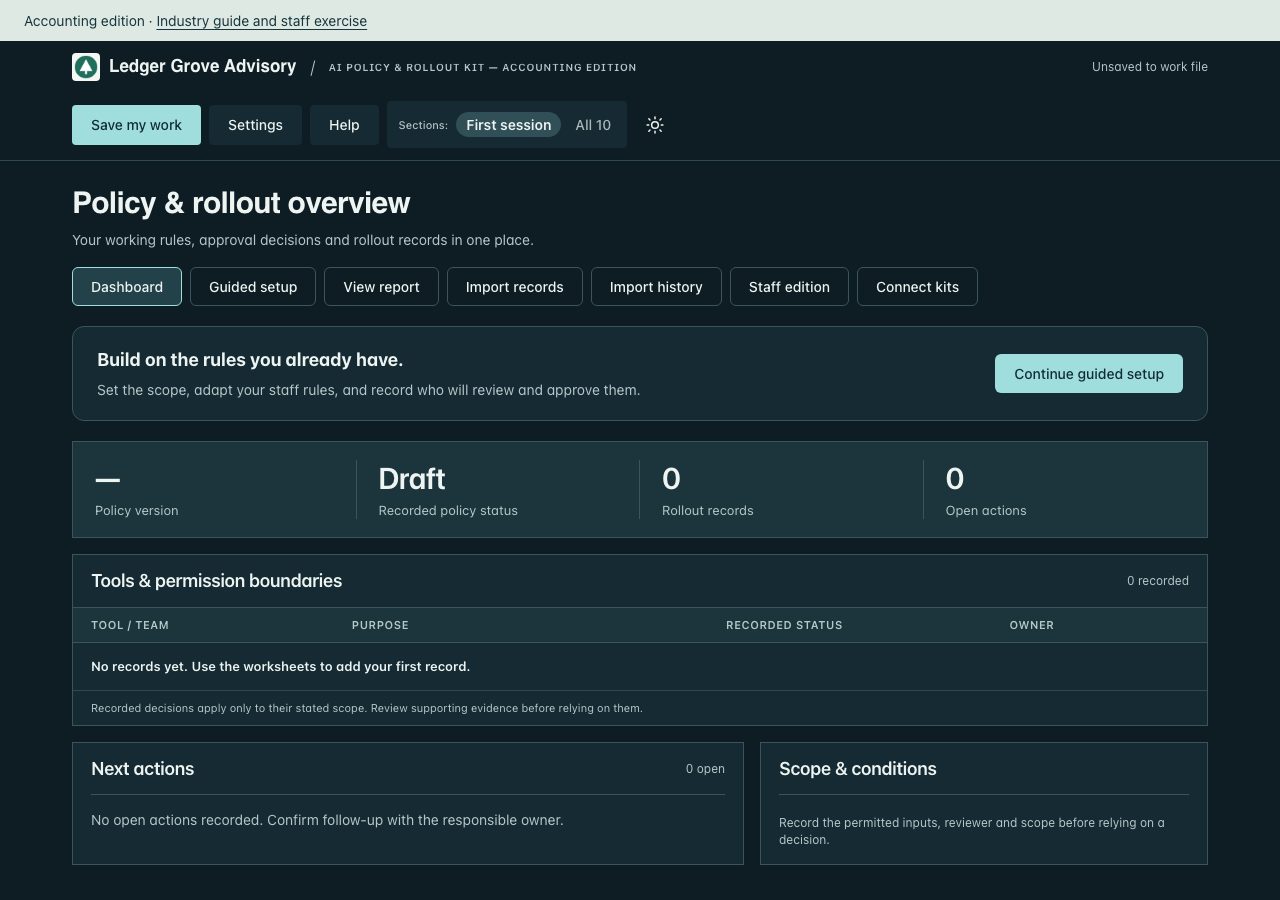
The working dashboard opens blank, with Ledger Grove Advisory’s name and logo already set. Shown as a screenshot: the working file is part of the licensed package.
kit-policy/Sample-Dashboard.html1.0 MB
This fictional sample is public. Open it.
kit-policy/Sample-Report.html19 KB
This fictional sample is public. Open it.
kit-policy/Sample-Report.pdf32 KB
This fictional sample is public. Open it.
kit-policy/Staff-Briefing.html6 KB
Contents outline. The full guide is part of the licensed package.
- AI working rules — staff briefing
- 1. A confidential client brief
- 2. The meeting bot
- 3. An agent that can publish
kit-policy/manifest.json3 KB
{
  "version": "2026.10.61",
  "client": "Ledger Grove Advisory",
  "practitioner": "Northline Advisory",
  "industry": "accounting",
  "optionsVersion": "1.1",
  "entry": "START-HERE.html",
  "files": [
    {
      "name": "ACKNOWLEDGMENT-FORM.txt",
      "bytes": 637,
      "sha256": "6a0d355de9b42b275a7e69121f5aba3c55710f76d6dcbc3b37551bd6e03f9e4f"
    },
    {
      "name": "AI-Completion-Guide.html",
      "bytes": 25286,
      "sha256": "a32cd5c349583ef7c36a6f8b7d48798029d0fe242ca653a2c56b6b5a88ede749"
    },
    {
      "name": "ALL-HANDS-EMAIL.txt",
      "bytes": 586,
      "sha256": "3a8e59df417b525f30554cfe644e6818a1875fcf2bd52c0de72ab32c98dc8d72"
    },
    {
      "name": "CHECK-YOUR-COMPUTER.html",
      "bytes": 21017,
      "sha256": "d737675250f6a2b8bb827af7b67962af88c747caaaae56acda00df7e10f6eafc"
    },
    {
      "name": "CLIENT-USE-NOTICE.txt",
      "bytes": 723,
      "sha256": "494106c56d65557812434dfc7ef72fa8e83df376879d410b0b1f44eaad9c570b"
    },
    {
      "name": "IF-SOMETHING-IS-BLOCKED.txt",
      "bytes": 1499,
      "sha256": "0e355ba589fd9810a916a333e8fc887c6c31c80cc0b083b66c9aabc6868a03da"
    },
    {
      "name": "INDUSTRY-GUIDE.html",
      "bytes": 10274,
      "sha256": "e2f430ba7522cb2e6d06ef76a1543ee679968f5f41ac51a741db4da90f6694c2"
    },
    {
      "name": "KIT-GUIDE.html",
      "bytes": 8172,
      "sha256": "56473b615fb8e44b25acc9d35ad1fe2b1befd79de21c83eacab387b9193817d4"
    },
    {
      "name": "LICENSE.txt",
      "bytes": 1107,
      "sha256": "c0db91552257d6808ef22836be2c227c93e787566a8069113b49e79b955ce7cb"
    },
    {
      "name": "MANAGER-BRIEFING.txt",
      "bytes": 758,
      "sha256": "5b129e041de6058fee24ebf2f4ddbdf5602196ebf8f48dca9bbabef6283d4e81"
    },
    {
      "name": "Questionnaire.csv",
      "bytes": 64,
      "sha256": "3ce07c9c0ac419d25d396844347b00425e23a95b723af229e0e94a84561713fc"
    },
    {
      "name": "READ-ME-FIRST.txt",
      "bytes": 2458,
      "sha256": "f6e460d149cc99bb4c9cab0099724550bda5449ad0ed215b2abcc61b133b27d9"
    },
    {
      "name": "Reference/License-and-scope.txt",
      "bytes": 1107,
      "sha256": "c0db91552257d6808ef22836be2c227c93e787566a8069113b49e79b955ce7cb"
    },
    {
      "name": "Reference/Sources-and-scope.txt",
      "bytes": 530,
      "sha256": "4aa66b43dc700a5d4a5ff3f0c6566aa84e4a78b5934541536539b965332f2f6f"
    },
    {
      "name": "Reference/Templates.docx",
      "bytes": 12153,
      "sha256": "2232c12f29d81f8a1731b5c37c7b79b1bf4afa25ef27945c97160bdbce78b523"
    },
    {
      "name": "STAFF-EXERCISE.txt",
      "bytes": 700,
      "sha256": "1adb44dbf217621e8c3e5c1c58506a3f49a939cad99d58aa400b97036245f011"
    },
    {
      "name": "START-HERE.html",
      "bytes": 1086802,
      "sha256": "1778632c2b5008b5a4c8abf2bf1506c4b607747d646169745c149a9a744e5bd2"
    },
    {
      "name": "Sample-Dashboard.html",
      "bytes": 1090694,
      "sha256": "ef930c5258999a3d6cab1b7c3f1e94208eaa0c5c8c614f4f5cedbc65b31e5475"
    },
    {
      "name": "Sample-Report.html",
      "bytes": 19639,
      "sha256": "2ed0432c405662c4a15743983169594691e42eb220628581c764ba6795d5aef2"
    },
    {
      "name": "Sample-Report.pdf",
      "bytes": 33061,
      "sha256": "6646015d5753adb11064e20a77b935b0898eed47ec89a7fe8c3db102fc3db585"
    },
    {
      "name": "Staff-Briefing.html",
      "bytes": 5853,
      "sha256": "a18ada16e47c534f170ec2d37df41a8e1cd53cda133359ca5293233b705f03c0"
    }
  ]
}
kit-questionnaire/ (19 files)
kit-questionnaire/AI-Completion-Guide.html23 KB
Contents outline. The full guide is part of the licensed package.
- A little help with the next entry.
- Draft with AI is included in your dashboard
- Advanced: work with selected files
- Choose your next task.
- Finish in the dashboard.
- Prepare existing spreadsheets with work-approved AI
- Keep one working record.
kit-questionnaire/CHECK-YOUR-COMPUTER.html21 KB
The same one-minute computer check is public. Open it.
kit-questionnaire/CLIENT-USE-NOTICE.txt723 bytes
CLIENT INTERNAL-USE NOTICE

Client: Ledger Grove Advisory
Practitioner: Northline Advisory
Allocation date: October 14, 2026

Your allocated company may retain, use and internally adapt the four supplied core kits after the engagement ends. Validly allocated client internal-use rights survive a refund or termination of the practitioner’s master license. It may not redistribute them to other companies, sell the templates, or use them to deliver services to other clients. Copyright, third-party and scope notices remain applicable. Contact your practitioner for implementation support. These materials are working aids, not legal advice, certification or independent assurance. See LICENSE.txt for your client license.
kit-questionnaire/IF-SOMETHING-IS-BLOCKED.txt1 KB
If a step fails on a work laptop set up by IT, do not change your security settings. Send your IT team the request below, or forward the version at extrasphere.com/help.

Subject: Request to run a local HTML tool (Extrasphere kit)

Hi [IT contact],

I've purchased an Extrasphere AI governance kit for [team or purpose]. It is a set of HTML files that run entirely in the browser from a local folder. It makes no network connections, installs nothing, and stores data only in the browser and in files I save myself. Vendor details: extrasphere.com/help and extrasphere.com/trust.

On my machine, the following step(s) are blocked: [paste the compatibility check result].

To run the kit, the browser needs to:
1. Open a local .html file from a folder (file:// URLs) in a current desktop version of Chrome, Edge, Safari or Firefox.
2. Run the JavaScript inside that file.
3. Download files I create: .json work files, .xlsx and .docx exports, and the HTML report.
4. Let me choose a file to open (the standard file picker) to reload a work file or import a CSV.
5. Print to PDF.

Could you allow these for my account, or tell me the approved way to run a local HTML tool here? I'm not asking for any security setting to be turned off for others.

Thanks,
[Name]

For other problems, see extrasphere.com/help or email service@extrasphere.com with the kit name and version, your browser and operating system, and the step that failed. Please do not send confidential evidence or unredacted work files.
kit-questionnaire/INDUSTRY-GUIDE.html10 KB
Contents outline. The full guide is part of the licensed package.
- Accounting edition
- Begin with your actual work
- Review one numerical claim and record the result.
- A worked decision record
- When this task is complete
- Worked scenarios
- Internal procedure drafts
- Client ledger summaries
- Advisory briefing drafts
- Client restrictions
- Evidence to request
- Discuss with staff
- Prepare an external answer
- Review and maintain
kit-questionnaire/KIT-GUIDE.html8 KB
Contents outline. The full guide is part of the licensed package.
- AI Questionnaire Response Kit
- Complete your first useful task
- Use the workspace
- Bring your existing records
- Three kinds of file
- Which file do I send?
- Keep a recoverable copy
- Learn from a separate example
- Optional AI assistance
- License, updates and help
kit-questionnaire/LICENSE.txt1 KB
CLIENT LICENSE
Licensed to Ledger Grove Advisory through Northline Advisory

Prepared for: Ledger Grove Advisory
Delivered by: Northline Advisory
Allocation date: October 14, 2026

Your company has been allocated a client license by the practitioner named above. You may retain, use and internally adapt the four supplied core kits and relevant industry materials after the engagement ends. There is no expiry or separate purchase required for these copies. Validly allocated internal-use rights continue if the practitioner later refunds its master license or its license ends; you may not receive new allocations or practitioner rights under that ended purchase. You may not redistribute them to other companies, sell them or use them to deliver services to other clients. The practitioner retains responsibility for the engagement and implementation support. The included copyright, third-party notices and scope limitations remain applicable. This package is not legal advice, certification or independent assurance.

Practitioner license version 2026-10-14
https://extrasphere.com/practitioner-license
kit-questionnaire/READ-ME-FIRST.txt2 KB
AI Questionnaire Response Kit, Accounting edition · v2026.10.61

Read INDUSTRY-GUIDE.html for sector scenarios. Your working dashboard starts blank. Sample-Dashboard.html and Sample-Report.pdf contain separate fictional records.

1. Unzip first. Extract this whole folder. Do not open files from inside the ZIP.
2. If IT set up your work laptop, check your computer first (free, one minute). Open CHECK-YOUR-COMPUTER.html from this folder. All six checks should pass.
3. Open START-HERE.html in a current desktop version of Chrome, Edge, Safari or Firefox. Use Guided setup to enter your company and one real record.
4. Start with one real use, request or requirement. Treat suggested wording as a draft and review your output. Switch Sections to All to open the broader workspace, or load a company profile from another kit.
5. Click Save my work before you close. Keep the dated work file where your company keeps documents. Test loading it. Reports and spreadsheets are not restore files.
6. Stuck? Open IF-SOMETHING-IS-BLOCKED.txt, or see extrasphere.com/help.

Import records is included free. Choose Excel (.xlsx) or CSV, confirm column matches and review duplicates before adding AI inventory or action records supported by this kit. Files are read in your browser. Optional Prepare a file with your AI: choose Copy import prompt, use it with your spreadsheet in work-approved AI, then paste or upload its CSV. Compare the prepared data with your original spreadsheet before confirming the import; source details refer to the prepared file. The dashboard sends nothing to AI. Review imported claims before recording approval or completion. Import history can undo a whole unchanged batch. Later edits or links to its records block undo to preserve subsequent work. Save my work retains records and import history; importing a spreadsheet does not restore a workspace or synchronize files.

Plan 60 to 90 minutes for a first response pass. Evidence collection and authorized review take additional time. Planning estimates assume the relevant information is available. They are not completion or approval guarantees.

Open Help for the kit guide, fictional example and optional Draft with AI. Source evidence remains in your approved repository. Working records and completed templates do not establish compliance or approval.

Updates to this kit are included for 12 months from purchase. Purchase and access help: service@extrasphere.com.
kit-questionnaire/Reference/License-and-scope.txt1 KB
CLIENT LICENSE
Licensed to Ledger Grove Advisory through Northline Advisory

Prepared for: Ledger Grove Advisory
Delivered by: Northline Advisory
Allocation date: October 14, 2026

Your company has been allocated a client license by the practitioner named above. You may retain, use and internally adapt the four supplied core kits and relevant industry materials after the engagement ends. There is no expiry or separate purchase required for these copies. Validly allocated internal-use rights continue if the practitioner later refunds its master license or its license ends; you may not receive new allocations or practitioner rights under that ended purchase. You may not redistribute them to other companies, sell them or use them to deliver services to other clients. The practitioner retains responsibility for the engagement and implementation support. The included copyright, third-party notices and scope limitations remain applicable. This package is not legal advice, certification or independent assurance.

Practitioner license version 2026-10-14
https://extrasphere.com/practitioner-license
kit-questionnaire/Reference/Method.html10 KB
Contents outline. The full guide is part of the licensed package.
- AI Security Questionnaire Response method
- Start with the buyer question
- Separate fact from intention
- Gather and qualify evidence
- Review before sharing
- Keep useful evidence
- Maintain the working set
- Reuse answers with control
- Scope
kit-questionnaire/Reference/Sources-and-scope.txt2 KB
AI Questionnaire Response Kit
Edition 2026-09; issued 2026-09-25.

Original Extrasphere guidance, worksheets, registers, and fictional examples. No licensed ISO standard text, Microsoft requirement text, third-party template, client evidence, or third-party image is reproduced in this package.

Source versions checked September 25, 2026. Recheck current source versions and the issued engagement requirements before use. Supporting standards are context, not additional requirements imposed by this kit.

ISO/IEC 42001:2023 AI management system
https://www.iso.org/standard/42001
Use: Current published AI management system requirements. Obtain the licensed standard for clause-level work; this kit is original preparation guidance, not a conformity checklist.

NIST AI RMF 1.0 and current resources
https://www.nist.gov/itl/ai-risk-management-framework
Use: Voluntary risk-management context. NIST says a revision is underway; use the published 1.0 framework until a later version is issued.

NIST AI 600-1 Generative AI Profile
https://www.nist.gov/itl/ai-risk-management-framework/ai-risk-management-framework-resources
Use: Published 2024 companion profile for generative AI risks. Use selectively when a buyer question or AI workflow concerns generative AI.

ISO/IEC 42005:2025 AI system impact assessment
https://www.iso.org/standard/42005
Use: Current published guidance for deeper impact assessments where the use case warrants one. It complements ISO/IEC 42001; it is not a separate certification claim for this kit.

Coverage boundary: Independent preparation materials from Extrasphere Media LLC. Not legal advice, certification, or an independent assurance assessment. Not affiliated with ISO, IEC, Microsoft, or NIST. Obtain the applicable standards and use your actual contractual and legal requirements. Completing these materials does not establish compliance or effective controls.

Editorial or independent assurance approval is not implied by the source list.

Package revision 2026.10.61 (2026-10-16): updated dashboard workflow, question imports and customer-facing outputs. Source-check dates above are retained; this packaging revision does not imply a new independent standards review.
kit-questionnaire/Reference/Templates.docx38 KB
Contents outline. The full editable document is part of the licensed package.
- AI Questionnaire Response Kit templates
- Use only the worksheets you need
- Response review worksheet
- Gap and clarification note
- Response handover and correction record
kit-questionnaire/Reference/Templates.pdf77 KB
A PDF copy of kit-questionnaire/Reference/Templates.docx, with the same contents.
kit-questionnaire/STAFF-EXERCISE.txt700 bytes
Accounting edition — staff exercise
Fictional scenario; adapt to your actual approved rules.

An assistant produces a plausible reconciliation with a total that differs from the ledger. Recalculate from the source, record the correction and obtain the designated review before using the result.

Discuss:
1. Which client fields are permitted in a specifically reviewed tool?
2. Who reconciles every number to the source record?
3. Where are partner approval and engagement restrictions recorded?

Record: date, facilitator, participants, policy version, decisions, unresolved questions, responsible owner and follow-up date.
An attendance or acknowledgment record does not establish understanding.
kit-questionnaire/START-HERE.html1.1 MB
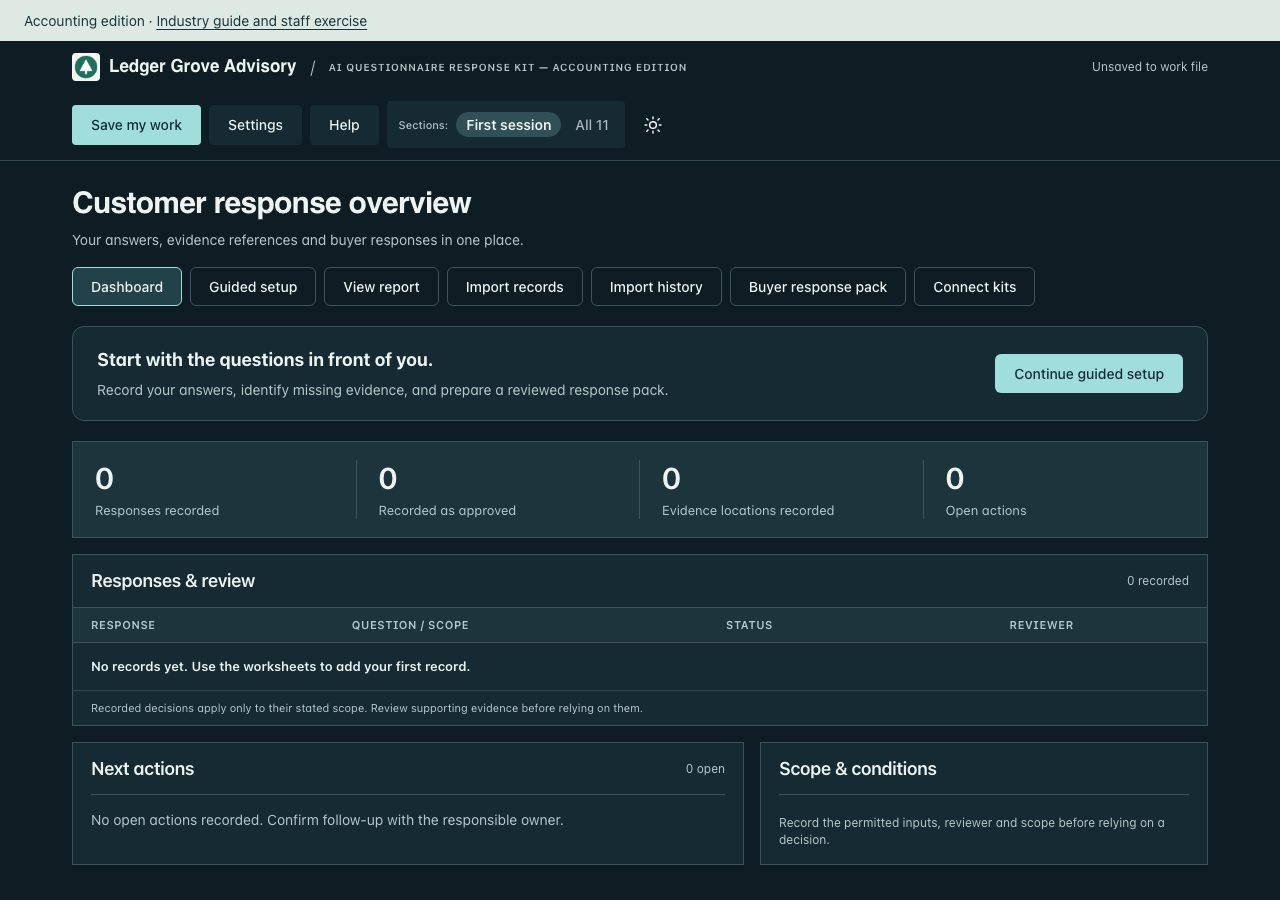
The working dashboard opens blank, with Ledger Grove Advisory’s name and logo already set. Shown as a screenshot: the working file is part of the licensed package.
kit-questionnaire/Sample-Dashboard.html1.1 MB
This fictional sample is public. Open it.
kit-questionnaire/Sample-Report.html18 KB
This fictional sample is public. Open it.
kit-questionnaire/Sample-Report.pdf30 KB
This fictional sample is public. Open it.
kit-questionnaire/manifest.json3 KB
{
  "version": "2026.10.61",
  "client": "Ledger Grove Advisory",
  "practitioner": "Northline Advisory",
  "industry": "accounting",
  "optionsVersion": "1.1",
  "entry": "START-HERE.html",
  "files": [
    {
      "name": "AI-Completion-Guide.html",
      "bytes": 23693,
      "sha256": "39e5217fe90dc52e2632341f7934796d690c73cd4b06d436ebaf2e4298b844bd"
    },
    {
      "name": "CHECK-YOUR-COMPUTER.html",
      "bytes": 21019,
      "sha256": "743898c6aa047e0eb15ebfad9a78113885c334e5098cc2fc7aaf27c0663cc713"
    },
    {
      "name": "CLIENT-USE-NOTICE.txt",
      "bytes": 723,
      "sha256": "494106c56d65557812434dfc7ef72fa8e83df376879d410b0b1f44eaad9c570b"
    },
    {
      "name": "IF-SOMETHING-IS-BLOCKED.txt",
      "bytes": 1499,
      "sha256": "0e355ba589fd9810a916a333e8fc887c6c31c80cc0b083b66c9aabc6868a03da"
    },
    {
      "name": "INDUSTRY-GUIDE.html",
      "bytes": 10274,
      "sha256": "e2f430ba7522cb2e6d06ef76a1543ee679968f5f41ac51a741db4da90f6694c2"
    },
    {
      "name": "KIT-GUIDE.html",
      "bytes": 8129,
      "sha256": "6859294bc714f605e67aefcdf1a18c417ad9fea4b472c5e9efdee39e2b03bbdc"
    },
    {
      "name": "LICENSE.txt",
      "bytes": 1107,
      "sha256": "c0db91552257d6808ef22836be2c227c93e787566a8069113b49e79b955ce7cb"
    },
    {
      "name": "READ-ME-FIRST.txt",
      "bytes": 2448,
      "sha256": "497a492d6ff9e0a56fa2c4110360da0544b2af8d5ae4761c2185d3c1d9019a30"
    },
    {
      "name": "Reference/License-and-scope.txt",
      "bytes": 1107,
      "sha256": "c0db91552257d6808ef22836be2c227c93e787566a8069113b49e79b955ce7cb"
    },
    {
      "name": "Reference/Method.html",
      "bytes": 10055,
      "sha256": "da8e7cbbe6a73cc439e0abe4989cac5a0b77a29eba59c79fe2ab8012d5619764"
    },
    {
      "name": "Reference/Sources-and-scope.txt",
      "bytes": 2212,
      "sha256": "75e4bf234115f6bc8421ab28ec3a512d4820c6f367ff7fde97280ccdfcc3efd0"
    },
    {
      "name": "Reference/Templates.docx",
      "bytes": 39152,
      "sha256": "f640aa8d038848114138e058f1572b67a9ce4f4c7676a94e5159023944750827"
    },
    {
      "name": "Reference/Templates.pdf",
      "bytes": 78845,
      "sha256": "72942f4936a13925c95c685ebc22de9bb0e6ac01e331a7d13b49244d62fd420a"
    },
    {
      "name": "STAFF-EXERCISE.txt",
      "bytes": 700,
      "sha256": "1adb44dbf217621e8c3e5c1c58506a3f49a939cad99d58aa400b97036245f011"
    },
    {
      "name": "START-HERE.html",
      "bytes": 1145532,
      "sha256": "91d7c4daa0f3a60959c316aa5a51d17d6a2c803703650869fc449ac381ed4e75"
    },
    {
      "name": "Sample-Dashboard.html",
      "bytes": 1148205,
      "sha256": "f5c886cd3afee56f442347c73a4296211338c70361200e1a0f5009945569986d"
    },
    {
      "name": "Sample-Report.html",
      "bytes": 17942,
      "sha256": "8ba83d3729e4ffdf467195c22dfad9d6b18573938427f05986119655462ff7cf"
    },
    {
      "name": "Sample-Report.pdf",
      "bytes": 30214,
      "sha256": "fe7d200400e550b5946431c079d0c71fee98cec6a3c785326e3f1aacd4884963"
    }
  ]
}
kit-shadow-ai/ (20 files)
kit-shadow-ai/AI-Completion-Guide.html23 KB
Contents outline. The full guide is part of the licensed package.
- A little help with the next entry.
- Draft with AI is included in your dashboard
- Advanced: work with selected files
- Choose your next task.
- Finish in the dashboard.
- Prepare existing spreadsheets with work-approved AI
- Keep one working record.
kit-shadow-ai/AI-Inventory-Import.csv64 bytes
use_id,tool,account,team,purpose,data,permissions,owner,source
kit-shadow-ai/CHECK-YOUR-COMPUTER.html21 KB
The same one-minute computer check is public. Open it.
kit-shadow-ai/CLIENT-USE-NOTICE.txt723 bytes
CLIENT INTERNAL-USE NOTICE

Client: Ledger Grove Advisory
Practitioner: Northline Advisory
Allocation date: October 14, 2026

Your allocated company may retain, use and internally adapt the four supplied core kits after the engagement ends. Validly allocated client internal-use rights survive a refund or termination of the practitioner’s master license. It may not redistribute them to other companies, sell the templates, or use them to deliver services to other clients. Copyright, third-party and scope notices remain applicable. Contact your practitioner for implementation support. These materials are working aids, not legal advice, certification or independent assurance. See LICENSE.txt for your client license.
kit-shadow-ai/IF-SOMETHING-IS-BLOCKED.txt1 KB
If a step fails on a work laptop set up by IT, do not change your security settings. Send your IT team the request below, or forward the version at extrasphere.com/help.

Subject: Request to run a local HTML tool (Extrasphere kit)

Hi [IT contact],

I've purchased an Extrasphere AI governance kit for [team or purpose]. It is a set of HTML files that run entirely in the browser from a local folder. It makes no network connections, installs nothing, and stores data only in the browser and in files I save myself. Vendor details: extrasphere.com/help and extrasphere.com/trust.

On my machine, the following step(s) are blocked: [paste the compatibility check result].

To run the kit, the browser needs to:
1. Open a local .html file from a folder (file:// URLs) in a current desktop version of Chrome, Edge, Safari or Firefox.
2. Run the JavaScript inside that file.
3. Download files I create: .json work files, .xlsx and .docx exports, and the HTML report.
4. Let me choose a file to open (the standard file picker) to reload a work file or import a CSV.
5. Print to PDF.

Could you allow these for my account, or tell me the approved way to run a local HTML tool here? I'm not asking for any security setting to be turned off for others.

Thanks,
[Name]

For other problems, see extrasphere.com/help or email service@extrasphere.com with the kit name and version, your browser and operating system, and the step that failed. Please do not send confidential evidence or unredacted work files.
kit-shadow-ai/INDUSTRY-GUIDE.html10 KB
Contents outline. The full guide is part of the licensed package.
- Accounting edition
- Begin with your actual work
- Review one numerical claim and record the result.
- A worked decision record
- When this task is complete
- Worked scenarios
- Internal procedure drafts
- Client ledger summaries
- Advisory briefing drafts
- Client restrictions
- Evidence to request
- Discuss with staff
- Prepare an external answer
- Review and maintain
kit-shadow-ai/KIT-GUIDE.html8 KB
Contents outline. The full guide is part of the licensed package.
- Shadow AI Risk Kit
- Complete your first useful task
- Use the workspace
- Bring your existing records
- Three kinds of file
- Which file do I send?
- Keep a recoverable copy
- Learn from a separate example
- Optional AI assistance
- License, updates and help
kit-shadow-ai/LICENSE.txt1 KB
CLIENT LICENSE
Licensed to Ledger Grove Advisory through Northline Advisory

Prepared for: Ledger Grove Advisory
Delivered by: Northline Advisory
Allocation date: October 14, 2026

Your company has been allocated a client license by the practitioner named above. You may retain, use and internally adapt the four supplied core kits and relevant industry materials after the engagement ends. There is no expiry or separate purchase required for these copies. Validly allocated internal-use rights continue if the practitioner later refunds its master license or its license ends; you may not receive new allocations or practitioner rights under that ended purchase. You may not redistribute them to other companies, sell them or use them to deliver services to other clients. The practitioner retains responsibility for the engagement and implementation support. The included copyright, third-party notices and scope limitations remain applicable. This package is not legal advice, certification or independent assurance.

Practitioner license version 2026-10-14
https://extrasphere.com/practitioner-license
kit-shadow-ai/READ-ME-FIRST.txt2 KB
Shadow AI Risk Kit, Accounting edition · v2026.10.61

Read INDUSTRY-GUIDE.html for sector scenarios. Your working dashboard starts blank. Sample-Dashboard.html and Sample-Report.pdf contain separate fictional records.

1. Unzip first. Extract this whole folder. Do not open files from inside the ZIP.
2. If IT set up your work laptop, check your computer first (free, one minute). Open CHECK-YOUR-COMPUTER.html from this folder. All six checks should pass.
3. Open START-HERE.html in a current desktop version of Chrome, Edge, Safari or Firefox. Use Guided setup to enter your company and one real record.
4. Start with one real use, request or requirement. Treat suggested wording as a draft and review your output. Switch Sections to All to open the broader workspace, or load a company profile from another kit.
5. Click Save my work before you close. Keep the dated work file where your company keeps documents. Test loading it. Reports and spreadsheets are not restore files.
6. Stuck? Open IF-SOMETHING-IS-BLOCKED.txt, or see extrasphere.com/help.

Import records is included free. Choose Excel (.xlsx) or CSV, confirm column matches and review duplicates before adding AI inventory or action records supported by this kit. Files are read in your browser. Optional Prepare a file with your AI: choose Copy import prompt, use it with your spreadsheet in work-approved AI, then paste or upload its CSV. Compare the prepared data with your original spreadsheet before confirming the import; source details refer to the prepared file. The dashboard sends nothing to AI. Review imported claims before recording approval or completion. Import history can undo a whole unchanged batch. Later edits or links to its records block undo to preserve subsequent work. Save my work retains records and import history; importing a spreadsheet does not restore a workspace or synchronize files.

Plan 45 to 60 minutes to set up, allow a one-week survey window, then 30 minutes for the initial review. Follow-up and evidence collection take additional time. Planning estimates assume the relevant information is available. They are not completion or approval guarantees.

Open Help for the kit guide, fictional example and optional Draft with AI. Source evidence remains in your approved repository. Working records and completed templates do not establish compliance or approval.

Updates to this kit are included for 12 months from purchase. Purchase and access help: service@extrasphere.com.
kit-shadow-ai/Reference/License-and-scope.txt1 KB
CLIENT LICENSE
Licensed to Ledger Grove Advisory through Northline Advisory

Prepared for: Ledger Grove Advisory
Delivered by: Northline Advisory
Allocation date: October 14, 2026

Your company has been allocated a client license by the practitioner named above. You may retain, use and internally adapt the four supplied core kits and relevant industry materials after the engagement ends. There is no expiry or separate purchase required for these copies. Validly allocated internal-use rights continue if the practitioner later refunds its master license or its license ends; you may not receive new allocations or practitioner rights under that ended purchase. You may not redistribute them to other companies, sell them or use them to deliver services to other clients. The practitioner retains responsibility for the engagement and implementation support. The included copyright, third-party notices and scope limitations remain applicable. This package is not legal advice, certification or independent assurance.

Practitioner license version 2026-10-14
https://extrasphere.com/practitioner-license
kit-shadow-ai/Reference/Sources-and-scope.txt530 bytes
NCSC: Shadow IT
https://www.ncsc.gov.uk/guidance/shadow-it
Organizational discovery, positive reporting culture and workable approval routes.

NIST AI RMF Core
https://airc.nist.gov/airmf-resources/airmf/5-sec-core/
Inventory, responsibilities, policies, training and review. This kit is not a clause-by-clause conformity assessment.

NIST Generative AI Profile
https://nvlpubs.nist.gov/nistpubs/ai/NIST.AI.600-1.pdf
Generative AI risk considerations and suggested actions.
Reviewed 2026-10-06. No ISO standard text is reproduced.
kit-shadow-ai/Reference/Templates.docx12 KB
Contents outline. The full editable document is part of the licensed package.
- Shadow AI Risk Kit working materials
- Your first assessment
- Invite useful disclosures
- Staff and freelancer questionnaire
- Questionnaire collection and CSV
- Review available business records
- Measure coverage honestly
- Describe the use
- Apply the exposure method
- Decide and respond
- Management handover
- Reassess without losing the baseline
- Fictional worked example
- Source references
kit-shadow-ai/STAFF-EXERCISE.txt700 bytes
Accounting edition — staff exercise
Fictional scenario; adapt to your actual approved rules.

An assistant produces a plausible reconciliation with a total that differs from the ledger. Recalculate from the source, record the correction and obtain the designated review before using the result.

Discuss:
1. Which client fields are permitted in a specifically reviewed tool?
2. Who reconciles every number to the source record?
3. Where are partner approval and engagement restrictions recorded?

Record: date, facilitator, participants, policy version, decisions, unresolved questions, responsible owner and follow-up date.
An attendance or acknowledgment record does not establish understanding.
kit-shadow-ai/STAFF-SURVEY.txt1 KB
Staff disclosure survey
No blame. A named tool is useful even when the account or the data is unclear.

1. Which AI tools did you use for work in the last 90 days?
2. What did you use each tool for?
3. Which account type did you use: work, personal, or not sure?
4. Did any client material go into a tool?
5. Which other tools or accounts are connected to it?
6. Did you use an AI notetaker in a meeting?
7. Did you use an image or video tool on work?
8. Is there a tool you are unsure whether to mention?

Paste these as fields in Microsoft Forms or Google Forms.
Export the responses as CSV with these question headings unchanged. Optional name, email, team and timestamp columns are retained. You can also use short headings: tool, purpose, account, client material, connected tools, notetakers, image tools, unsure.

Email
Subject: Which AI tools are we using?

Please spend five minutes on this survey. It is not a test. Include tools you are unsure about, personal accounts used for work, notetakers, and image or video tools. Reply if you would rather tell me directly.
kit-shadow-ai/START-HERE.html1.0 MB
The working dashboard opens blank, with Ledger Grove Advisory’s name and logo already set. Shown as a screenshot: the working file is part of the licensed package.
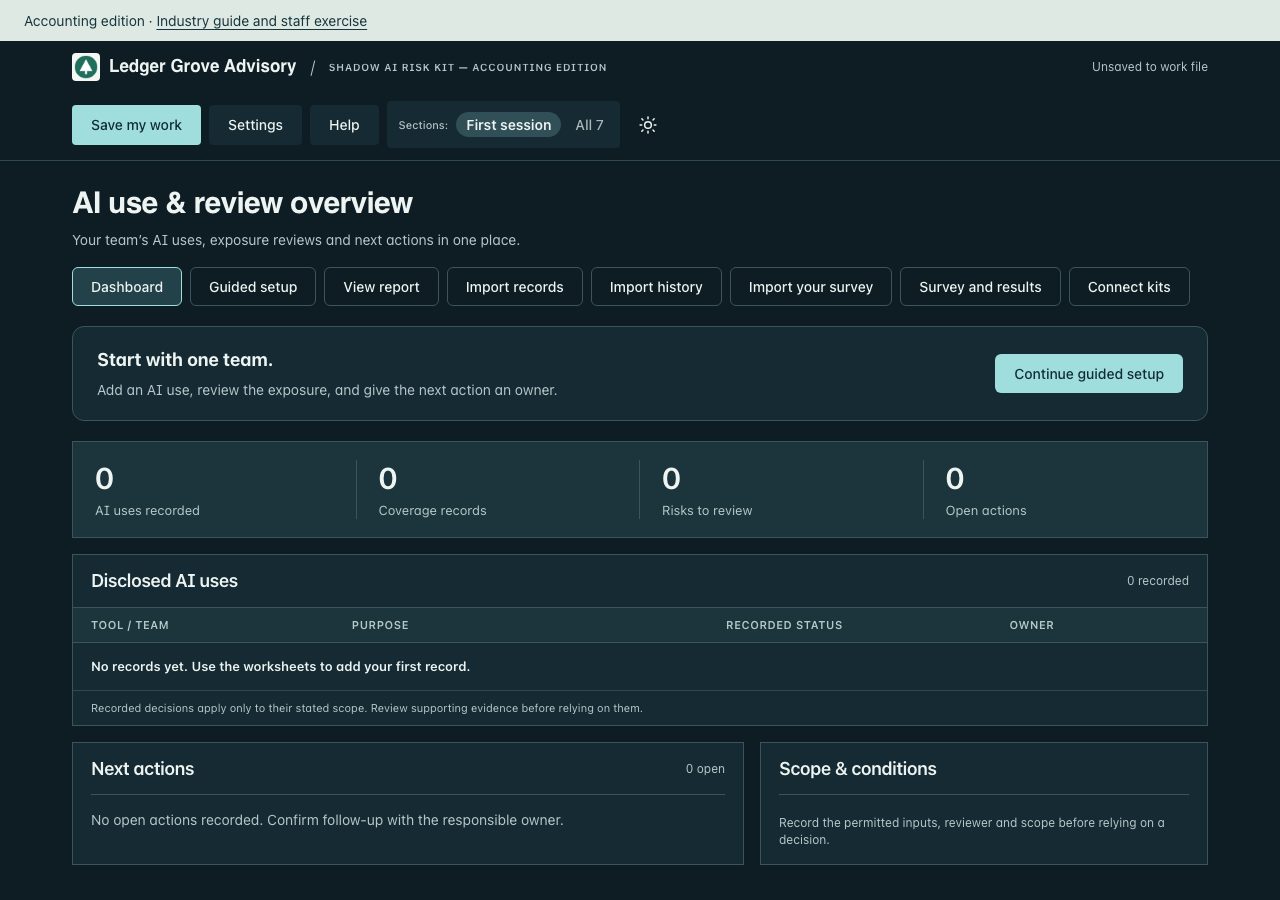
kit-shadow-ai/Sample-Dashboard.html1.0 MB
This fictional sample is public. Open it.
kit-shadow-ai/Sample-Report.html21 KB
This fictional sample is public. Open it.
kit-shadow-ai/Sample-Report.pdf34 KB
This fictional sample is public. Open it.
kit-shadow-ai/Staff-Briefing.html6 KB
Contents outline. The full guide is part of the licensed package.
- AI working rules — staff briefing
- 1. A confidential client brief
- 2. The meeting bot
- 3. An agent that can publish
kit-shadow-ai/manifest.json3 KB
{
  "version": "2026.10.61",
  "client": "Ledger Grove Advisory",
  "practitioner": "Northline Advisory",
  "industry": "accounting",
  "optionsVersion": "1.1",
  "entry": "START-HERE.html",
  "files": [
    {
      "name": "AI-Completion-Guide.html",
      "bytes": 23129,
      "sha256": "fe46527409221b5339bebb0fd869b46bb68fc91e20f58357d88b76744b4deca6"
    },
    {
      "name": "AI-Inventory-Import.csv",
      "bytes": 64,
      "sha256": "3ce07c9c0ac419d25d396844347b00425e23a95b723af229e0e94a84561713fc"
    },
    {
      "name": "CHECK-YOUR-COMPUTER.html",
      "bytes": 21008,
      "sha256": "3ab4efcd16b18decaf6cdfa5f41b83f76597e5abedcd4aa559728d96ab1ed39b"
    },
    {
      "name": "CLIENT-USE-NOTICE.txt",
      "bytes": 723,
      "sha256": "494106c56d65557812434dfc7ef72fa8e83df376879d410b0b1f44eaad9c570b"
    },
    {
      "name": "IF-SOMETHING-IS-BLOCKED.txt",
      "bytes": 1499,
      "sha256": "0e355ba589fd9810a916a333e8fc887c6c31c80cc0b083b66c9aabc6868a03da"
    },
    {
      "name": "INDUSTRY-GUIDE.html",
      "bytes": 10274,
      "sha256": "e2f430ba7522cb2e6d06ef76a1543ee679968f5f41ac51a741db4da90f6694c2"
    },
    {
      "name": "KIT-GUIDE.html",
      "bytes": 7847,
      "sha256": "8b8673eb84124c716931d30b1edc9b57f316067baf12e6a55424809ca63954ff"
    },
    {
      "name": "LICENSE.txt",
      "bytes": 1107,
      "sha256": "c0db91552257d6808ef22836be2c227c93e787566a8069113b49e79b955ce7cb"
    },
    {
      "name": "READ-ME-FIRST.txt",
      "bytes": 2485,
      "sha256": "051531e44c69dcaccf3953ae08b1e5971c528aa902a5ccce1a388b36b3504d8d"
    },
    {
      "name": "Reference/License-and-scope.txt",
      "bytes": 1107,
      "sha256": "c0db91552257d6808ef22836be2c227c93e787566a8069113b49e79b955ce7cb"
    },
    {
      "name": "Reference/Sources-and-scope.txt",
      "bytes": 530,
      "sha256": "4aa66b43dc700a5d4a5ff3f0c6566aa84e4a78b5934541536539b965332f2f6f"
    },
    {
      "name": "Reference/Templates.docx",
      "bytes": 11792,
      "sha256": "22abfc0b8cb06d46333d55ed037e307e78a44d4a913940f2375b526599c959ef"
    },
    {
      "name": "STAFF-EXERCISE.txt",
      "bytes": 700,
      "sha256": "1adb44dbf217621e8c3e5c1c58506a3f49a939cad99d58aa400b97036245f011"
    },
    {
      "name": "STAFF-SURVEY.txt",
      "bytes": 1077,
      "sha256": "7e24906c47fdf5eb49a9164d88b9fd0a9f99cc50c6557b7ea35ff8f2328076f9"
    },
    {
      "name": "START-HERE.html",
      "bytes": 1077881,
      "sha256": "8d4eec751202ba73558bd56a1a2382ed13e398d4fede402049ae69d2f61e9904"
    },
    {
      "name": "Sample-Dashboard.html",
      "bytes": 1081012,
      "sha256": "c427cfbfc6292787cd39020b4930e717ab770c7685146a7fe4dfc61177ef6852"
    },
    {
      "name": "Sample-Report.html",
      "bytes": 21315,
      "sha256": "46efd986ce5e888c1a93cae369fdd804107cf99d333c65a1bf647cef90e07cc4"
    },
    {
      "name": "Sample-Report.pdf",
      "bytes": 34768,
      "sha256": "897320f0fdeaab607c535754d47b88958723aaf6f287da75a2a8afed588e6cb6"
    },
    {
      "name": "Staff-Briefing.html",
      "bytes": 5853,
      "sha256": "a18ada16e47c534f170ec2d37df41a8e1cd53cda133359ca5293233b705f03c0"
    }
  ]
}
toolkit/ (20 files)
toolkit/AI-Completion-Guide.html30 KB
Contents outline. The full guide is part of the licensed package.
- A little help with the next entry.
- Draft with AI is included in your dashboard
- Advanced: work with selected files
- Choose your next task.
- Finish in the dashboard.
- Prepare existing spreadsheets with work-approved AI
- Keep one working record.
toolkit/CHECK-YOUR-COMPUTER.html21 KB
The same one-minute computer check is public. Open it.
toolkit/CLIENT-USE-NOTICE.txt723 bytes
CLIENT INTERNAL-USE NOTICE

Client: Ledger Grove Advisory
Practitioner: Northline Advisory
Allocation date: October 14, 2026

Your allocated company may retain, use and internally adapt the four supplied core kits after the engagement ends. Validly allocated client internal-use rights survive a refund or termination of the practitioner’s master license. It may not redistribute them to other companies, sell the templates, or use them to deliver services to other clients. Copyright, third-party and scope notices remain applicable. Contact your practitioner for implementation support. These materials are working aids, not legal advice, certification or independent assurance. See LICENSE.txt for your client license.
toolkit/IF-SOMETHING-IS-BLOCKED.txt1 KB
If a step fails on a work laptop set up by IT, do not change your security settings. Send your IT team the request below, or forward the version at extrasphere.com/help.

Subject: Request to run a local HTML tool (Extrasphere kit)

Hi [IT contact],

I've purchased an Extrasphere AI governance kit for [team or purpose]. It is a set of HTML files that run entirely in the browser from a local folder. It makes no network connections, installs nothing, and stores data only in the browser and in files I save myself. Vendor details: extrasphere.com/help and extrasphere.com/trust.

On my machine, the following step(s) are blocked: [paste the compatibility check result].

To run the kit, the browser needs to:
1. Open a local .html file from a folder (file:// URLs) in a current desktop version of Chrome, Edge, Safari or Firefox.
2. Run the JavaScript inside that file.
3. Download files I create: .json work files, .xlsx and .docx exports, and the HTML report.
4. Let me choose a file to open (the standard file picker) to reload a work file or import a CSV.
5. Print to PDF.

Could you allow these for my account, or tell me the approved way to run a local HTML tool here? I'm not asking for any security setting to be turned off for others.

Thanks,
[Name]

For other problems, see extrasphere.com/help or email service@extrasphere.com with the kit name and version, your browser and operating system, and the step that failed. Please do not send confidential evidence or unredacted work files.
toolkit/INDUSTRY-GUIDE.html10 KB
Contents outline. The full guide is part of the licensed package.
- Accounting edition
- Begin with your actual work
- Review one numerical claim and record the result.
- A worked decision record
- When this task is complete
- Worked scenarios
- Internal procedure drafts
- Client ledger summaries
- Advisory briefing drafts
- Client restrictions
- Evidence to request
- Discuss with staff
- Prepare an external answer
- Review and maintain
toolkit/KIT-GUIDE.html8 KB
Contents outline. The full guide is part of the licensed package.
- AI Governance Toolkit
- Complete your first useful task
- Use the workspace
- Bring your existing records
- Three kinds of file
- Which file do I send?
- Keep a recoverable copy
- Learn from a separate example
- Optional AI assistance
- License, updates and help
toolkit/LICENSE.txt1 KB
CLIENT LICENSE
Licensed to Ledger Grove Advisory through Northline Advisory

Prepared for: Ledger Grove Advisory
Delivered by: Northline Advisory
Allocation date: October 14, 2026

Your company has been allocated a client license by the practitioner named above. You may retain, use and internally adapt the four supplied core kits and relevant industry materials after the engagement ends. There is no expiry or separate purchase required for these copies. Validly allocated internal-use rights continue if the practitioner later refunds its master license or its license ends; you may not receive new allocations or practitioner rights under that ended purchase. You may not redistribute them to other companies, sell them or use them to deliver services to other clients. The practitioner retains responsibility for the engagement and implementation support. The included copyright, third-party notices and scope limitations remain applicable. This package is not legal advice, certification or independent assurance.

Practitioner license version 2026-10-14
https://extrasphere.com/practitioner-license
toolkit/READ-ME-FIRST.txt2 KB
AI Governance Toolkit, Accounting edition · v2026.10.61

Read INDUSTRY-GUIDE.html for sector scenarios. Your working dashboard starts blank. Sample-Dashboard.html and Sample-Report.pdf contain separate fictional records.

1. Unzip first. Extract this whole folder. Do not open files from inside the ZIP.
2. If IT set up your work laptop, check your computer first (free, one minute). Open CHECK-YOUR-COMPUTER.html from this folder. All six checks should pass.
3. Open START-HERE.html in a current desktop version of Chrome, Edge, Safari or Firefox. Use Guided setup to enter your company and one real record.
4. Start with one real use, request or requirement. Treat suggested wording as a draft and review your output. Switch Sections to All to open the broader workspace, or load a company profile from another kit.
5. Click Save my work before you close. Keep the dated work file where your company keeps documents. Test loading it. Reports and spreadsheets are not restore files.
6. Stuck? Open IF-SOMETHING-IS-BLOCKED.txt, or see extrasphere.com/help.

Import records is included free. Choose Excel (.xlsx) or CSV, confirm column matches and review duplicates before adding AI inventory or action records supported by this kit. Files are read in your browser. Optional Prepare a file with your AI: choose Copy import prompt, use it with your spreadsheet in work-approved AI, then paste or upload its CSV. Compare the prepared data with your original spreadsheet before confirming the import; source details refer to the prepared file. The dashboard sends nothing to AI. Review imported claims before recording approval or completion. Import history can undo a whole unchanged batch. Later edits or links to its records block undo to preserve subsequent work. Save my work retains records and import history; importing a spreadsheet does not restore a workspace or synchronize files.

About 15 to 30 minutes to a first useful entry, and 2 to 3 hours for a full setup. After that, plan about 30 minutes a month to review requests, decisions and follow-up. Planning estimates assume the relevant information is available. They are not completion or approval guarantees.

Open Help for the kit guide, fictional example and optional Draft with AI. Source evidence remains in your approved repository. Working records and completed templates do not establish compliance or approval.

Updates to this kit are included for 12 months from purchase. Purchase and access help: service@extrasphere.com.
toolkit/Reference/License-and-scope.txt1 KB
CLIENT LICENSE
Licensed to Ledger Grove Advisory through Northline Advisory

Prepared for: Ledger Grove Advisory
Delivered by: Northline Advisory
Allocation date: October 14, 2026

Your company has been allocated a client license by the practitioner named above. You may retain, use and internally adapt the four supplied core kits and relevant industry materials after the engagement ends. There is no expiry or separate purchase required for these copies. Validly allocated internal-use rights continue if the practitioner later refunds its master license or its license ends; you may not receive new allocations or practitioner rights under that ended purchase. You may not redistribute them to other companies, sell them or use them to deliver services to other clients. The practitioner retains responsibility for the engagement and implementation support. The included copyright, third-party notices and scope limitations remain applicable. This package is not legal advice, certification or independent assurance.

Practitioner license version 2026-10-14
https://extrasphere.com/practitioner-license
toolkit/Reference/Method.html5 KB
Contents outline. The full guide is part of the licensed package.
- AI Governance Toolkit method
- Keep one clear working record
- Use the report for a decision
- Scope
toolkit/Reference/Sources-and-scope.txt3 KB
EXTRASPHERE AI GOVERNANCE TOOLKIT
Source versions and scope | September 25, 2026

Use this toolkit to organize your own AI decisions, records, owners and evidence. Its framework labels are navigation aids, not a clause-by-clause conformity assessment. Your business, legal and assurance owners decide which requirements apply to each use case.

ISO/IEC 42001:2023 is the current published AI management system standard. Obtain the licensed standard if you are preparing for certification. The toolkit helps organize management-system work; completing it does not establish conformity.
https://www.iso.org/standard/42001

ISO/IEC 42005:2025 is current guidance on AI system impact assessment. Use it when a use case needs a deeper look at effects on people, groups or society. It complements ISO/IEC 42001; it is not a separate certification supplied by this toolkit.
https://www.iso.org/standard/42005

NIST AI RMF 1.0 remains the published voluntary framework while NIST works on a revision. NIST AI 600-1, the 2024 Generative AI Profile, adds useful context for generative AI workflows. Neither is a certification or a substitute for a buyer's specific requirements.
https://www.nist.gov/itl/ai-risk-management-framework

The EU AI Act applies in stages. As of this edition, the European Commission lists transparency obligations from August 2026, high-risk Annex III obligations from December 2027 and product-embedded Annex I obligations from August 2028. Applicability depends on the system and your role. Confirm the current law and any client-specific duty with qualified counsel before making a legal claim.
https://digital-strategy.ec.europa.eu/en/policies/regulatory-framework-ai

ISO/IEC 27001:2022 (including its 2024 amendment) and SOC 2 can be relevant evidence contexts in supplier or customer reviews. A provider's report or certificate does not automatically cover your entity, service, AI workflow, tenant settings or period. Record the exact scope and current supporting document before referencing one in an answer.
https://www.iso.org/standard/27001

No licensed standard text is reproduced here. Recheck source versions and issued requirements for each engagement. Extrasphere is independent of the standards bodies, NIST and the European Commission. This toolkit is not legal advice, an audit, certification or an assurance report.

Package revision 2026.10.61 (2026-10-16): updated dashboard workflow, question imports and customer-facing outputs. Source-check dates above are retained; this packaging revision does not imply a new independent standards review.
toolkit/Reference/Templates.docx43 KB
Contents outline. The full editable document is part of the licensed package.
- AI governance toolkit templates
- Twelve templates and a readiness checklist
- 1. AI Governance Policy and Charter
- 2. AI Acceptable Use Policy
- 3. AI System and Use-Case Inventory
- 4. AI Use-Case Approval Form
- 5. AI Vendor and Third-Party Risk Assessment
- 6. AI Impact Assessment
- 7. AI Risk Register
- 8. Data Governance Standard for AI
- 9. Human Oversight and Escalation Procedure
- 10. AI Incident Response Runbook
- 11. Roles and Responsibilities RACI
- 12. Leadership and Board Briefing
- Bonus ISO 42001 Readiness Checklist
toolkit/Reference/Templates.pdf141 KB
A PDF copy of toolkit/Reference/Templates.docx, with the same contents.
toolkit/STAFF-EXERCISE.txt700 bytes
Accounting edition — staff exercise
Fictional scenario; adapt to your actual approved rules.

An assistant produces a plausible reconciliation with a total that differs from the ledger. Recalculate from the source, record the correction and obtain the designated review before using the result.

Discuss:
1. Which client fields are permitted in a specifically reviewed tool?
2. Who reconciles every number to the source record?
3. Where are partner approval and engagement restrictions recorded?

Record: date, facilitator, participants, policy version, decisions, unresolved questions, responsible owner and follow-up date.
An attendance or acknowledgment record does not establish understanding.
toolkit/START-HERE.html1.0 MB
The working dashboard opens blank, with Ledger Grove Advisory’s name and logo already set. Shown as a screenshot: the working file is part of the licensed package.
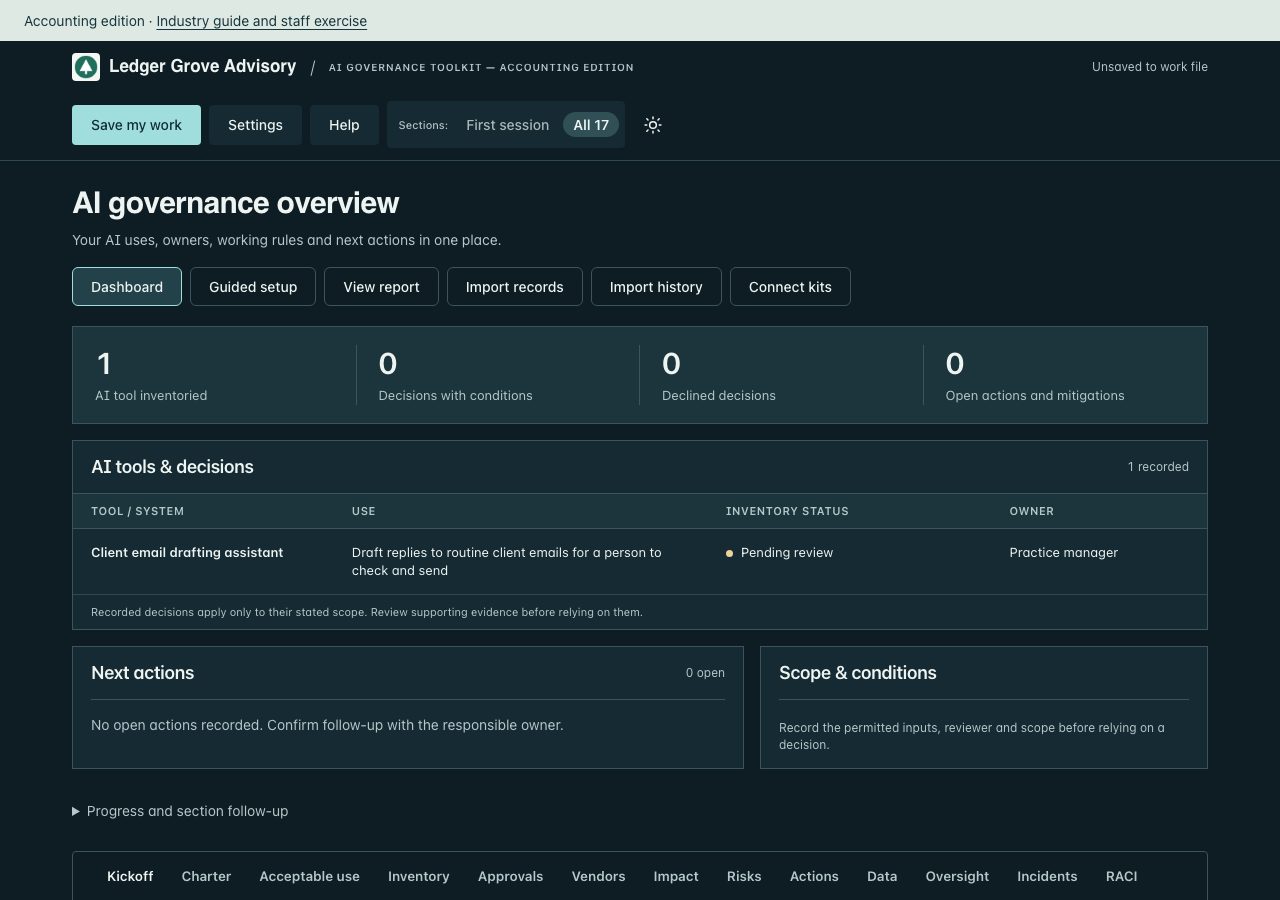
toolkit/Sample-Dashboard.html1.1 MB
This fictional sample is public. Open it.
toolkit/Sample-Report.html19 KB
This fictional sample is public. Open it.
toolkit/Sample-Report.pdf29 KB
This fictional sample is public. Open it.
toolkit/USE-REQUEST.txt375 bytes
AI use request
Copy these fields into Microsoft Forms or Google Forms.

1. Tool
2. Purpose
3. Who will use it
4. What data it will see
5. Date needed

Export the responses as CSV with these five field headings unchanged, or use tool, purpose, requestor, data_touched, date_needed.
Import that CSV into the Toolkit register. Suggested rows stay marked until you confirm them.
toolkit/manifest.json3 KB
{
  "version": "2026.10.61",
  "client": "Ledger Grove Advisory",
  "practitioner": "Northline Advisory",
  "industry": "accounting",
  "optionsVersion": "1.1",
  "entry": "START-HERE.html",
  "files": [
    {
      "name": "AI-Completion-Guide.html",
      "bytes": 30331,
      "sha256": "def660d9e1ab48f4347faccca6aa9e884e2d2cfe99bcdd4cb238212cefa0cf86"
    },
    {
      "name": "CHECK-YOUR-COMPUTER.html",
      "bytes": 21011,
      "sha256": "15e48318783659758457025a03f66ff4698bb1ac7b82d85453466701efa2f0e7"
    },
    {
      "name": "CLIENT-USE-NOTICE.txt",
      "bytes": 723,
      "sha256": "494106c56d65557812434dfc7ef72fa8e83df376879d410b0b1f44eaad9c570b"
    },
    {
      "name": "IF-SOMETHING-IS-BLOCKED.txt",
      "bytes": 1499,
      "sha256": "0e355ba589fd9810a916a333e8fc887c6c31c80cc0b083b66c9aabc6868a03da"
    },
    {
      "name": "INDUSTRY-GUIDE.html",
      "bytes": 10274,
      "sha256": "e2f430ba7522cb2e6d06ef76a1543ee679968f5f41ac51a741db4da90f6694c2"
    },
    {
      "name": "KIT-GUIDE.html",
      "bytes": 7931,
      "sha256": "1fbbbe28dc1766b67ea387a24f687f47a65525dd7ab9c665e94da0b173258583"
    },
    {
      "name": "LICENSE.txt",
      "bytes": 1107,
      "sha256": "c0db91552257d6808ef22836be2c227c93e787566a8069113b49e79b955ce7cb"
    },
    {
      "name": "READ-ME-FIRST.txt",
      "bytes": 2497,
      "sha256": "3c06d54524ab57a97f2979a95b3ca54e147d6d60bc493bc1f59494e93ff74439"
    },
    {
      "name": "Reference/License-and-scope.txt",
      "bytes": 1107,
      "sha256": "c0db91552257d6808ef22836be2c227c93e787566a8069113b49e79b955ce7cb"
    },
    {
      "name": "Reference/Method.html",
      "bytes": 5225,
      "sha256": "c4776d3e79bbdcbf79a47fdf79d5453e1c40b7f558035afd9070eb337c0c6dd4"
    },
    {
      "name": "Reference/Sources-and-scope.txt",
      "bytes": 2586,
      "sha256": "34c8d5ec1cd22e870296d83b4737132863254e2296f2f5504a0c1b70e021c347"
    },
    {
      "name": "Reference/Templates.docx",
      "bytes": 44221,
      "sha256": "a6eee448058a7dc09c6181af6747ab87bb30ec9e577b9b94d27b2904ddbc457a"
    },
    {
      "name": "Reference/Templates.pdf",
      "bytes": 143965,
      "sha256": "dea01040701c0eb40086fbebcb380d4dec8bb81782bc028727da4fdfd7cc9193"
    },
    {
      "name": "STAFF-EXERCISE.txt",
      "bytes": 700,
      "sha256": "1adb44dbf217621e8c3e5c1c58506a3f49a939cad99d58aa400b97036245f011"
    },
    {
      "name": "START-HERE.html",
      "bytes": 1097485,
      "sha256": "cb5889f746a84749e6d8bfc70c94a86cb45720ec07ad7976b5a79229ee661f66"
    },
    {
      "name": "Sample-Dashboard.html",
      "bytes": 1101159,
      "sha256": "8836d6fe5145460e2509f7cb35e6cb0b859cea02336d6a20d0aaeed7121d858c"
    },
    {
      "name": "Sample-Report.html",
      "bytes": 19074,
      "sha256": "2f0f1a5b1029124059499bdcd3a1be12958d9d016eb27a9d7e9f7a10fe17070f"
    },
    {
      "name": "Sample-Report.pdf",
      "bytes": 29406,
      "sha256": "c2a8f696438a1c26f9121e548e504ebb42ae3e6d8125473f1045d6ab2911848d"
    },
    {
      "name": "USE-REQUEST.txt",
      "bytes": 375,
      "sha256": "ed7446aa4964218a7599eb219aac8ef3f631c8164ef7e321aef12d7dd11c2c62"
    }
  ]
}
Fictional example. Extrasphere Media LLC. Practitioner License terms