Bring structure to client engagements with four working kits, familiar industry examples and client-branded deliverables. The Practitioner License covers five named client companies, plus your firm’s internal use.
For independent consultants, advisory practices and MSPs delivering client workshops, policies, governance records and buyer-response preparation.
Videos: Northfield Advisory with Harbor Supply Co, fictional.
Practitioner License walkthroughFictional example: Northfield Advisory prepares a client pack for Harbor Supply Co. Captions available.
See the builder stepsScreenshots of the client builder: a software client in 7 steps, then an accounting client in 5.
Walkthrough: one client, from scope to handover.
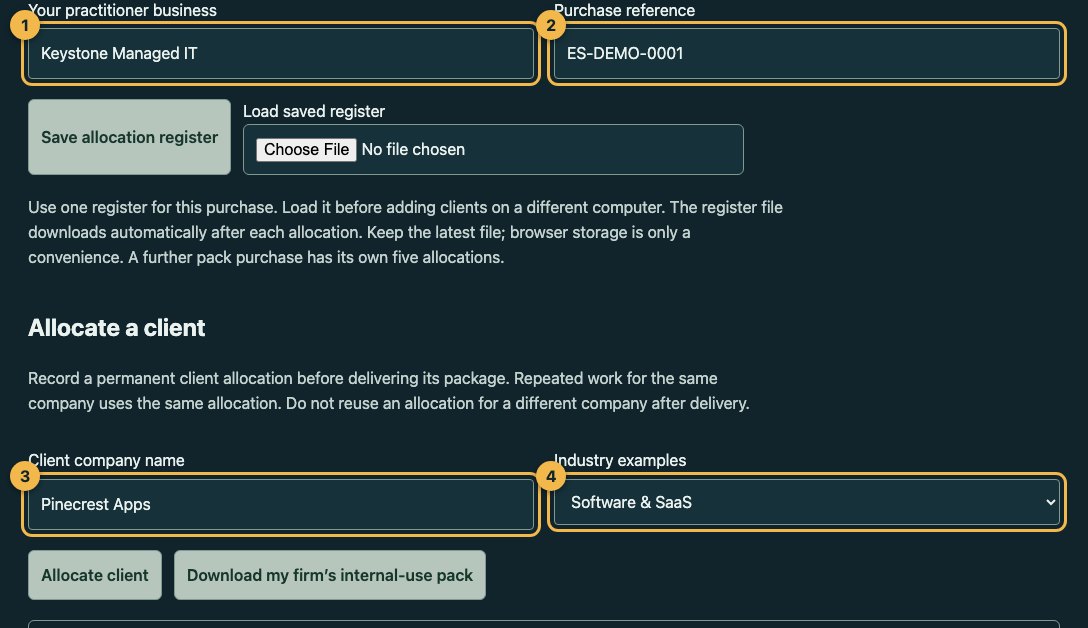
Screenshots: Keystone Managed IT with Pinecrest Apps, fictional. Real screenshots of the Practitioner client builder. Keystone Managed IT, a fictional IT provider, prepares a package for Pinecrest Apps, a fictional software company, with the Software edition. The numbers on each screenshot match the notes beside it.
Step 1 of 7
Enter your firm and the client’s scope
Your firm. Each client dashboard names Keystone Managed IT as the practitioner.
Your purchase reference (a placeholder here). It stays in your master copy and never goes into a client package.
The client company: Pinecrest Apps, a fictional 30-person software company.
The industry examples for this client: the Software edition.
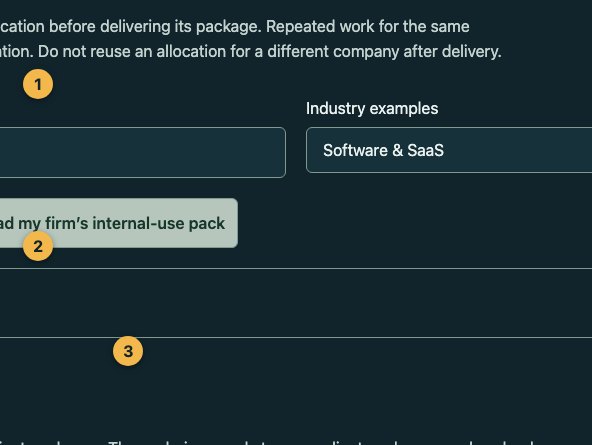
Step 2 of 7
Confirm the allocation
What you are confirming: a permanent allocation, 1 of your 5.
Type the client name exactly to confirm.
Allocate permanently. Your allocation register file downloads.
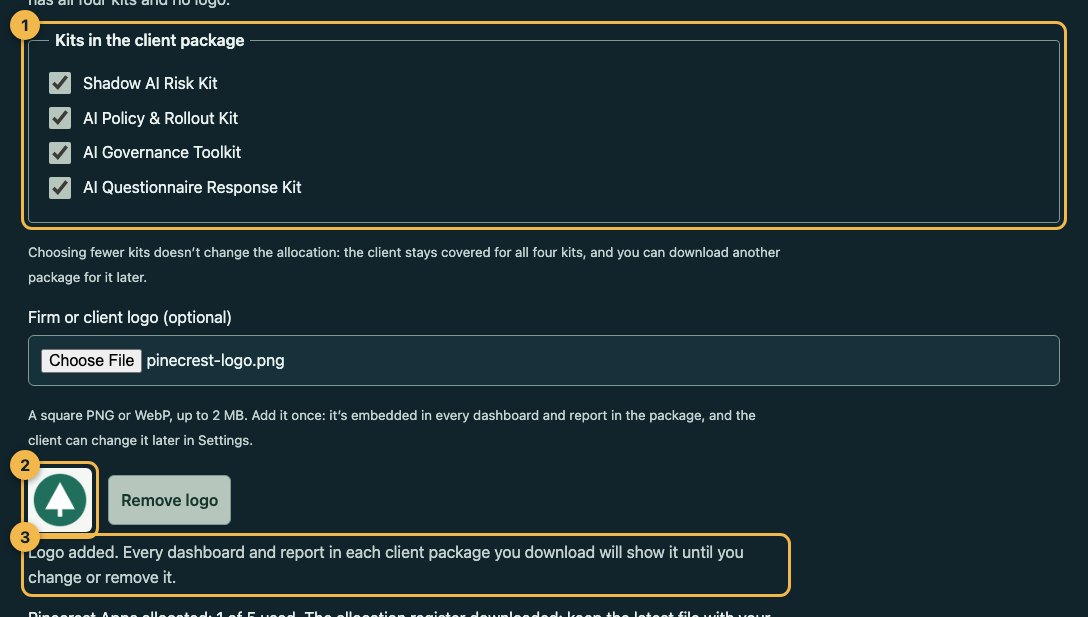
Step 3 of 7
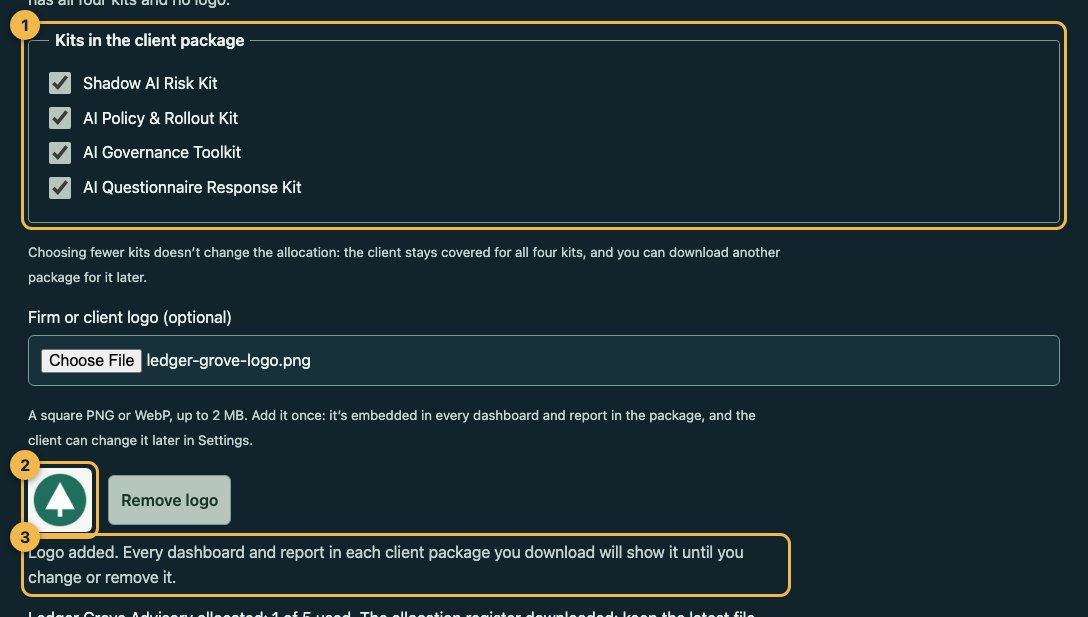
Choose the kits and add the client’s branding
The kits for this engagement. All four here; a smaller engagement can include fewer.
Pinecrest Apps’ logo, added once.
Every dashboard and report in the package shows it.
Step 4 of 7
Generate the package
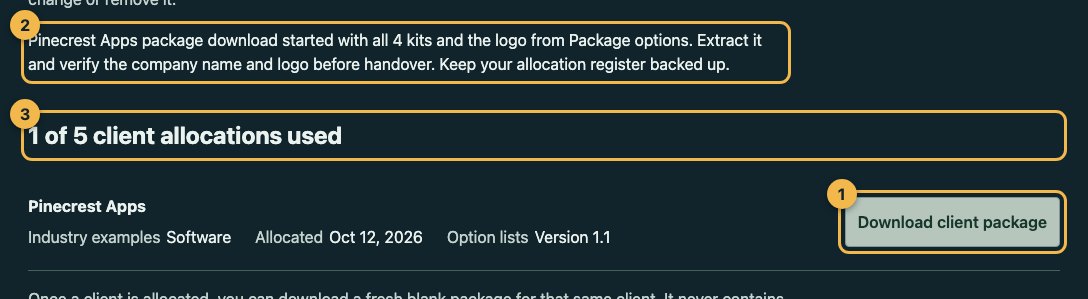
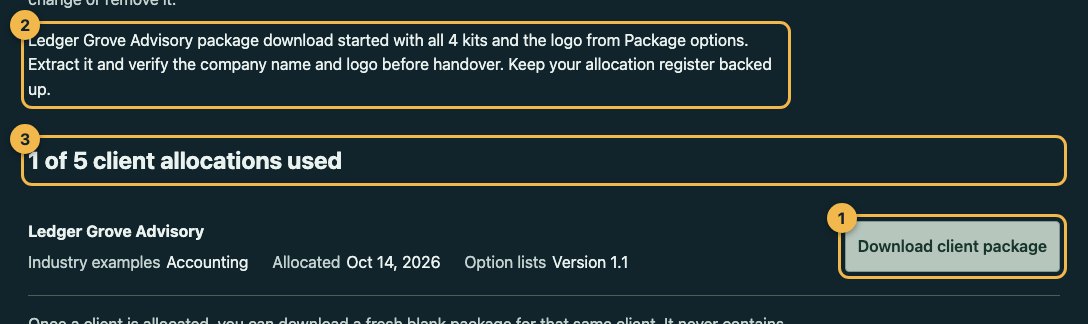
Download client package. The builder assembles it on your computer.
It confirms what went in: all 4 kits and the logo.
1 of 5 allocations used.
Step 5 of 7
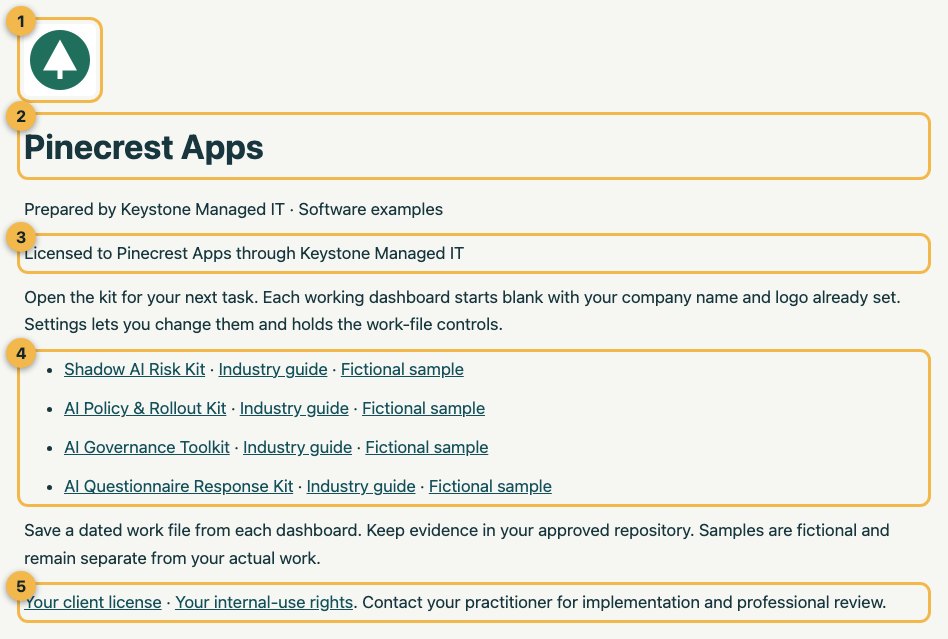
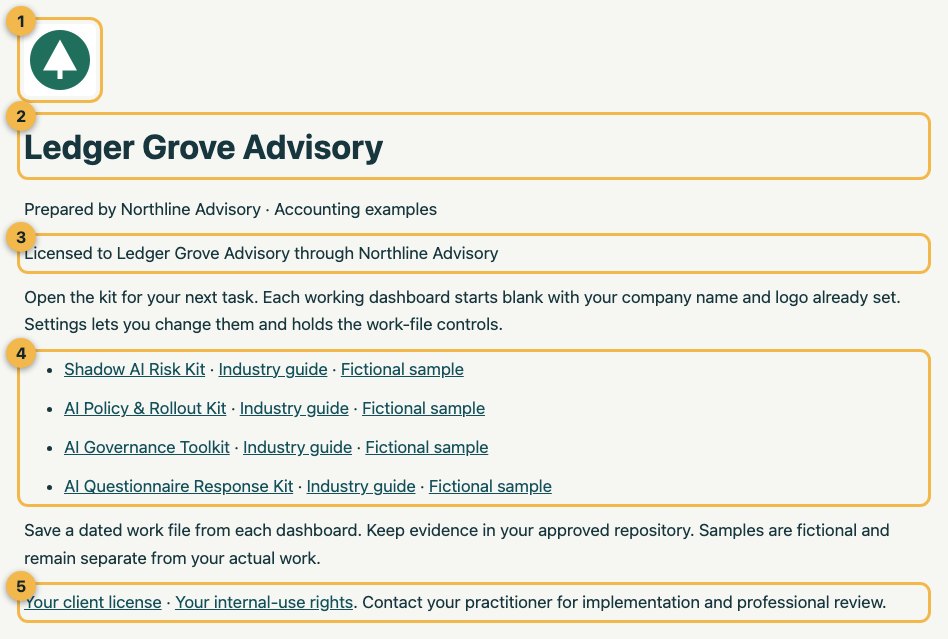
Inspect what the client receives
The client’s logo.
The client’s name.
The license line: Licensed to Pinecrest Apps through Keystone Managed IT.
Each kit, with its industry guide and a separate fictional sample.
The client license and internal-use notice.
Step 6 of 7
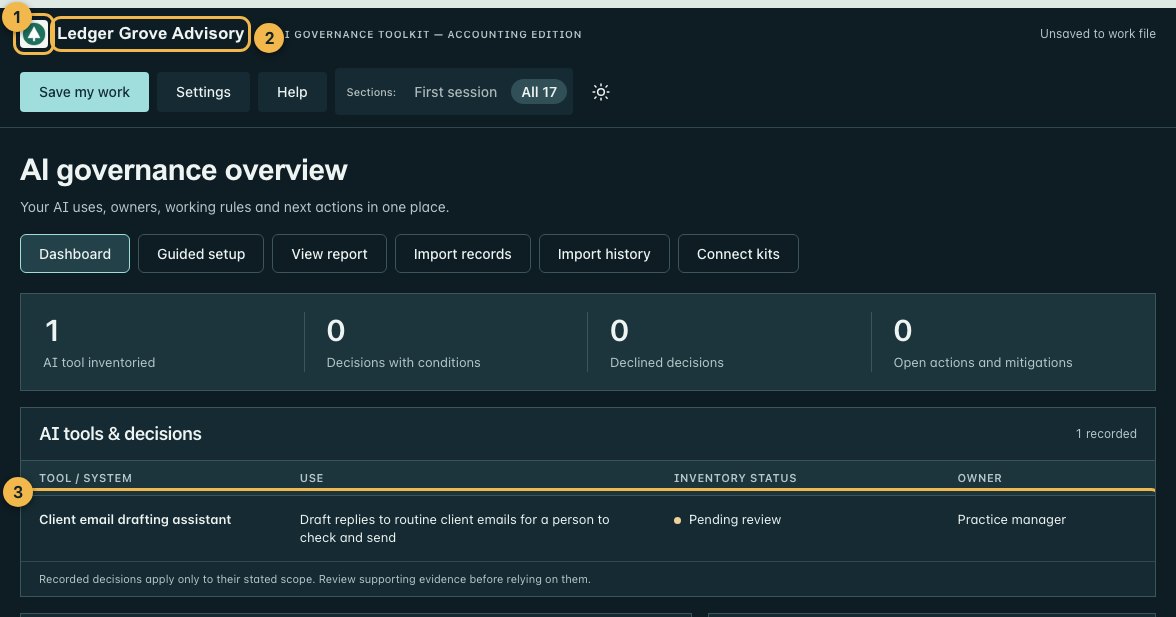
Tailor the records with the client
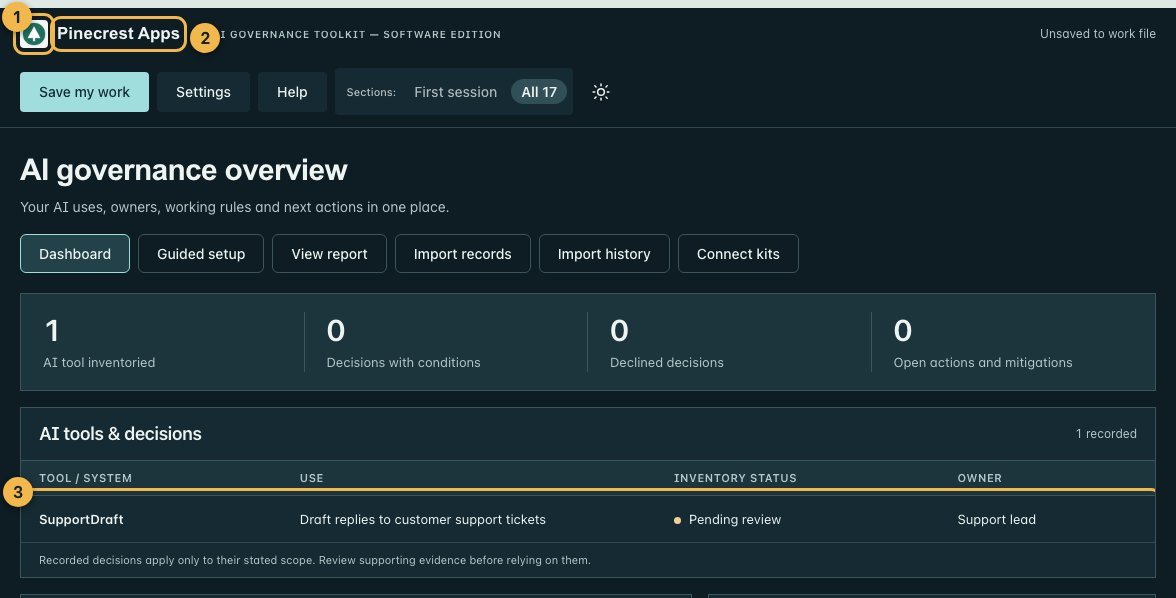
The client’s Toolkit opens with Pinecrest Apps’ logo
and name, with blank records.
The first record, entered with the client’s support lead: SupportDraft, pending review.
Step 7 of 7
Keep your register
1 of 5 allocations used.
The allocation. Download a fresh blank package for the same client at any time.
A second sample: an accounting client.
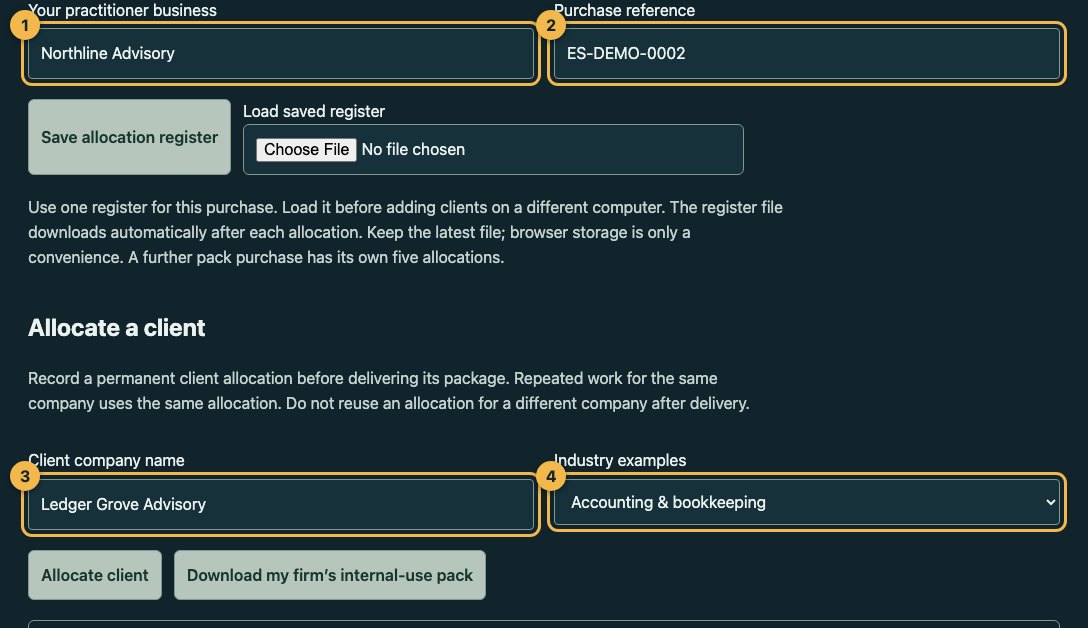
Sample package: Northline Advisory for Ledger Grove Advisory, fictional. Northline Advisory, a fictional advisory firm, prepares an Accounting edition package for Ledger Grove Advisory, a fictional accounting practice. The same builder, in 5 steps.
The master builder (START-HERE.html) and its client allocation register
The register file that downloaded: Practitioner-allocation-register-2026-10-12-1-of-5.json
Your Practitioner License, purchase terms, refund policy and purchase reference
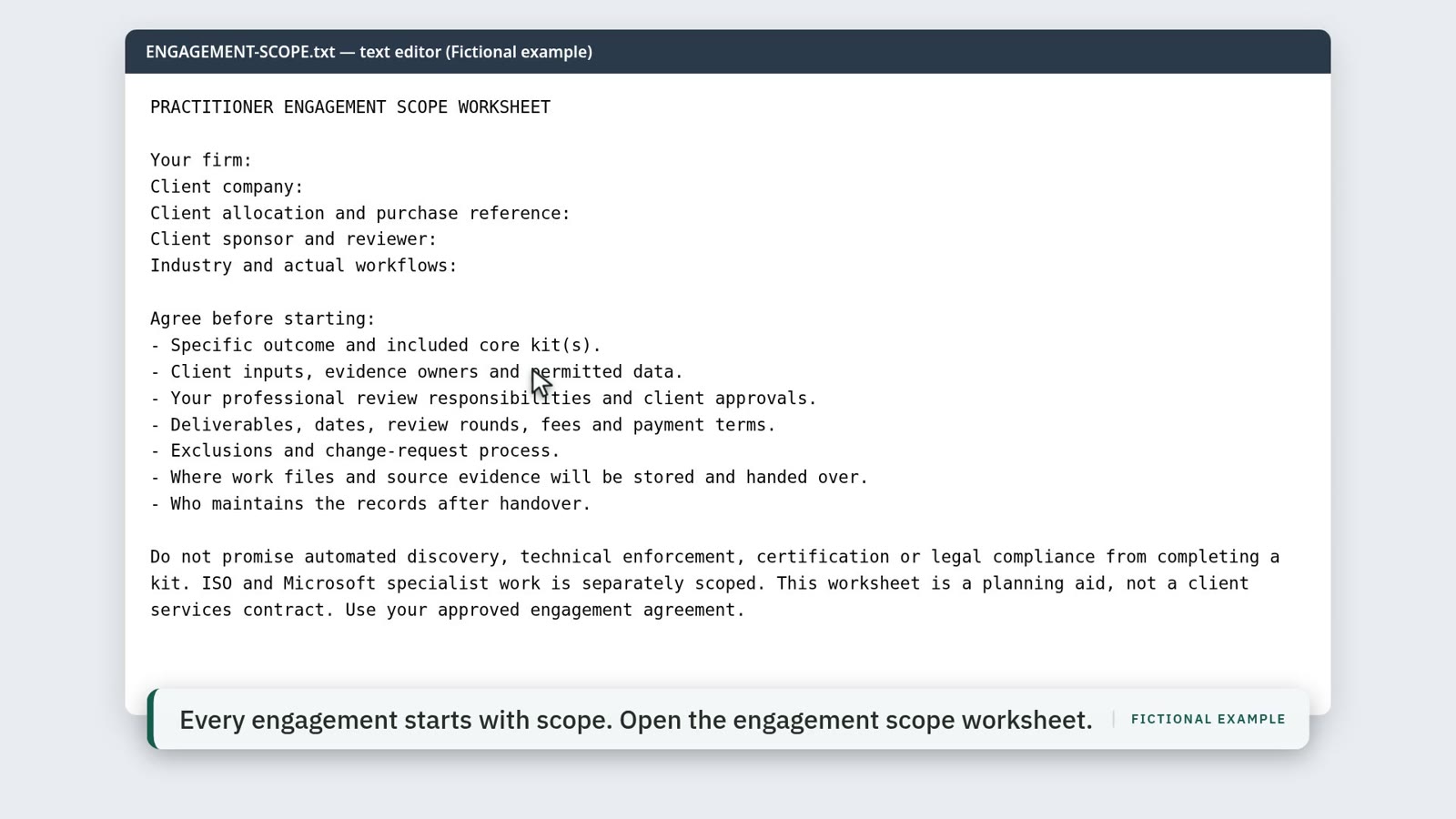
The delivery playbook, engagement scope worksheet and handover checklist
Your engagement notes and the right to deliver to four more client companies
Choose by how you will use the kits.
Working inside your own business? A standard one-company kit is the right starting point, even if your business is a consultancy, agency or MSP. Browse the kits for your team.
Delivering kit copies to clients? The Practitioner License includes commercial delivery and branding rights for five named client companies.
This is a commercial product license. It does not include accreditation, lead referrals, a partner directory listing or joint marketing.
Build a service around a useful result.
AI use discovery
Scope a staff survey, review disclosed uses and deliver an inventory with owned follow-up actions.
Policy and staff rollout
Facilitate policy decisions, record authorized approval, and plan briefings, acknowledgments and understanding checks.
Ongoing governance records
Help a client maintain tool requests, decisions, risks, review dates and a leadership report.
Client AI response preparation
Organize a buyer’s AI questions, evidence references, response review and open items.
You set your service scope and fees. These are suggested engagement types; no revenue, completion-time or compliance outcome is promised.
One client. A clean handover.
Enter your firm and purchase reference in the local client builder. Allocate a client, choose its industry and kits, add its logo once, and download a separate package with the client name and logo already set.
Your register and client names stay on your computer. Confirming an allocation downloads the register file; keep the latest copy. Each client keeps its licensed working copies after the engagement.
Scope the engagement and confirm the client’s permissions.
Prepare a separate client package with the kits you need and an optional logo, set once.
Review the records together and deliver the agreed outputs.
Hand over the client-use notice, work files and open actions.
Keystone Managed IT, a fictional managed IT provider, supports the systems of Pinecrest Apps, a fictional 30-person software company. Pinecrest Apps’ support team has started drafting replies with an AI assistant, and the company asks whether staff need written rules.
Scope
Two workshops and a handover over four weeks: find out which AI tools the support and product teams already use, agree staff rules, and set up a record of approved tools and decisions. Technical scanning, legal review and certification are not part of the engagement.
The four kits
Shadow AI Risk Kit for the staff survey and AI use inventory. AI Policy & Rollout Kit for the staff rules, approval and acknowledgments. AI Governance Toolkit for tool requests, decisions and review dates. AI Questionnaire Response Kit for later AI questions from business partners.
In the builder
Keystone enters its firm name and purchase reference, allocates Pinecrest Apps with the Software examples, types the name to confirm and keeps the register file that downloads. Under Package options it keeps all four kits and adds Pinecrest Apps’ logo once, then downloads the package.
What Pinecrest Apps receives
One ZIP: four working dashboards with its name and logo already set and blank records, Software guides, separate fictional samples, a client-use notice and a client license naming Pinecrest Apps and Keystone Managed IT. Each dashboard shows “Licensed to Pinecrest Apps through Keystone Managed IT”. Keystone’s own license, purchase terms and purchase reference are not included. Open every file in the sample package.
What Keystone keeps
The master builder, the allocation register (1 of 5 used) and its engagement notes.
What white-label means here
Your firm or client name and optional logo appear in dashboard and report headers. You can adapt editable policy and workshop materials and charge for your professional delivery.
Every kit suggests common answers for its key fields from built-in option lists, including a names-only list of common AI tools. Suggestions never lock a field: you and your clients can type over them or add your own.
Copyright, license, third-party and source notices remain in the package. Some help and legal surfaces identify Extrasphere. This license does not include hosted collaboration, custom software development or resale of the master library as a standalone product.
Each allocation includes the four core kits and any included industry edition. Repeated work for the same company uses the same allocation. Allocations are permanent after delivery; they cannot be recycled when a project ends. Buy another pack for five additional companies.
Your own firm’s internal use is included separately. Clients may retain and use their copies internally. They do not receive reusable practitioner rights.
Included and separate
Included: Shadow AI Risk, AI Policy & Rollout, AI Governance and AI Questionnaire Response; agency, consulting, IT services, accounting and software examples; the client builder, allocation register, engagement scope worksheet, facilitator guide and handover checklist.
ISO 42001 and Microsoft SSPA Section K kits, professional/legal review and implementation services are separate. AI Feature Record Kit (Software edition) is not included. Updates made available for the included kits remain accessible through your delivery link; future features, new products and a release schedule are not promised.
Purchase and access support is for the purchasing practitioner. You provide client implementation support.