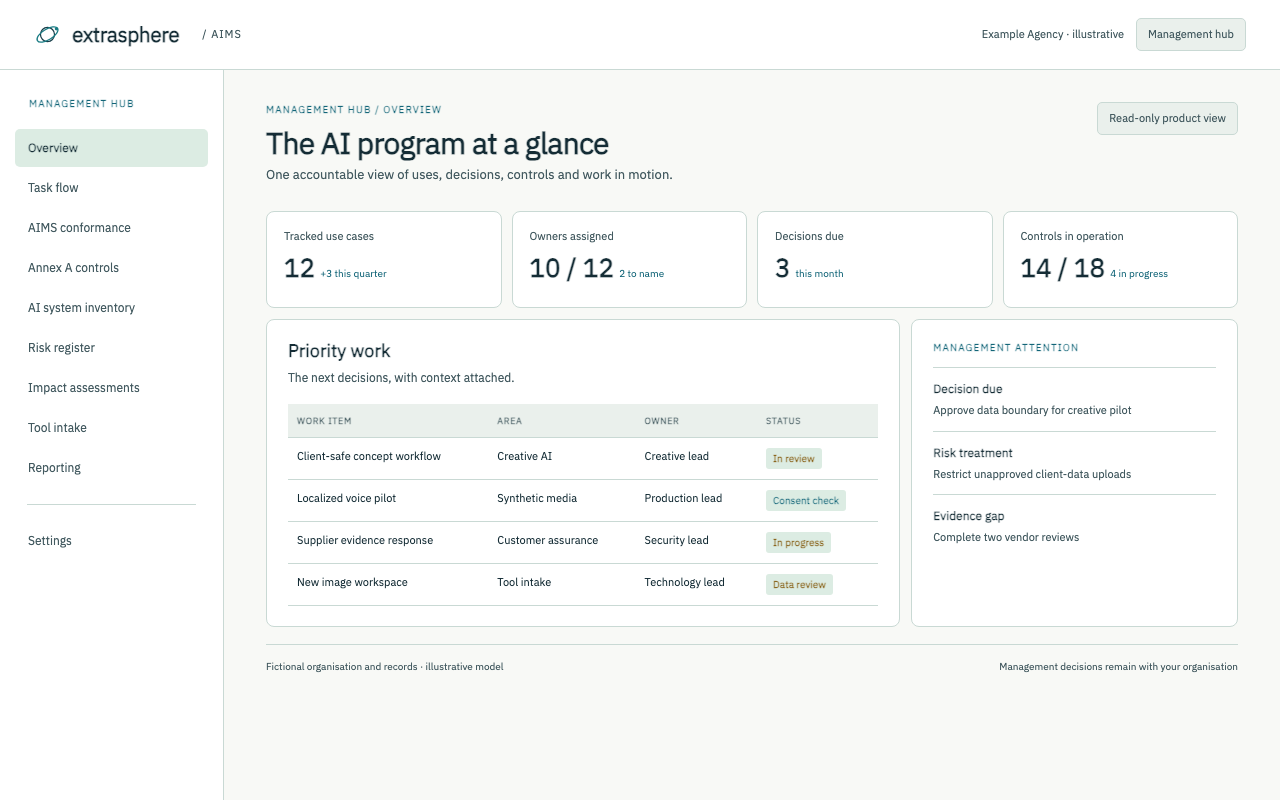
For connected teams and workflows, AIMS brings requests, approved uses, controls, training and reporting into one operating model. Explore the views, then walk through the read-only model.
Management can see decisions and evidence. Employees can find the safe path for their work.
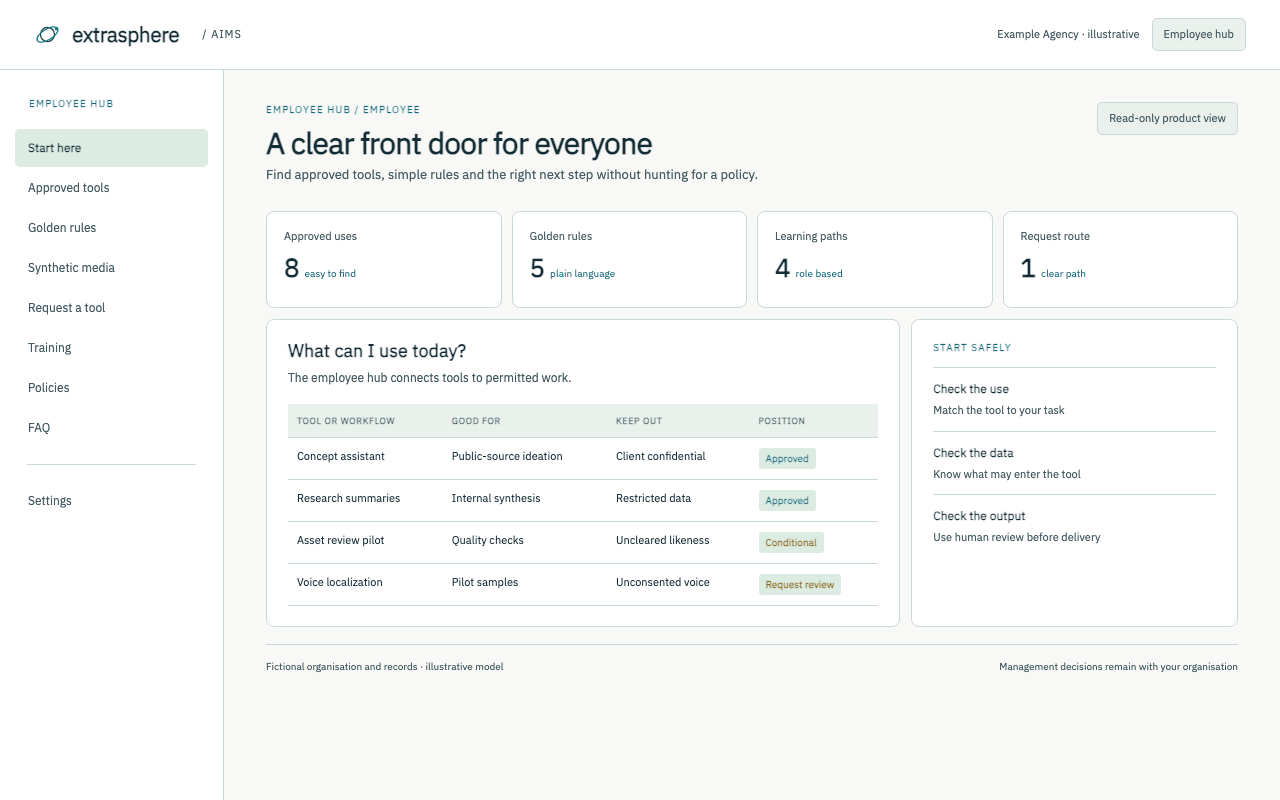
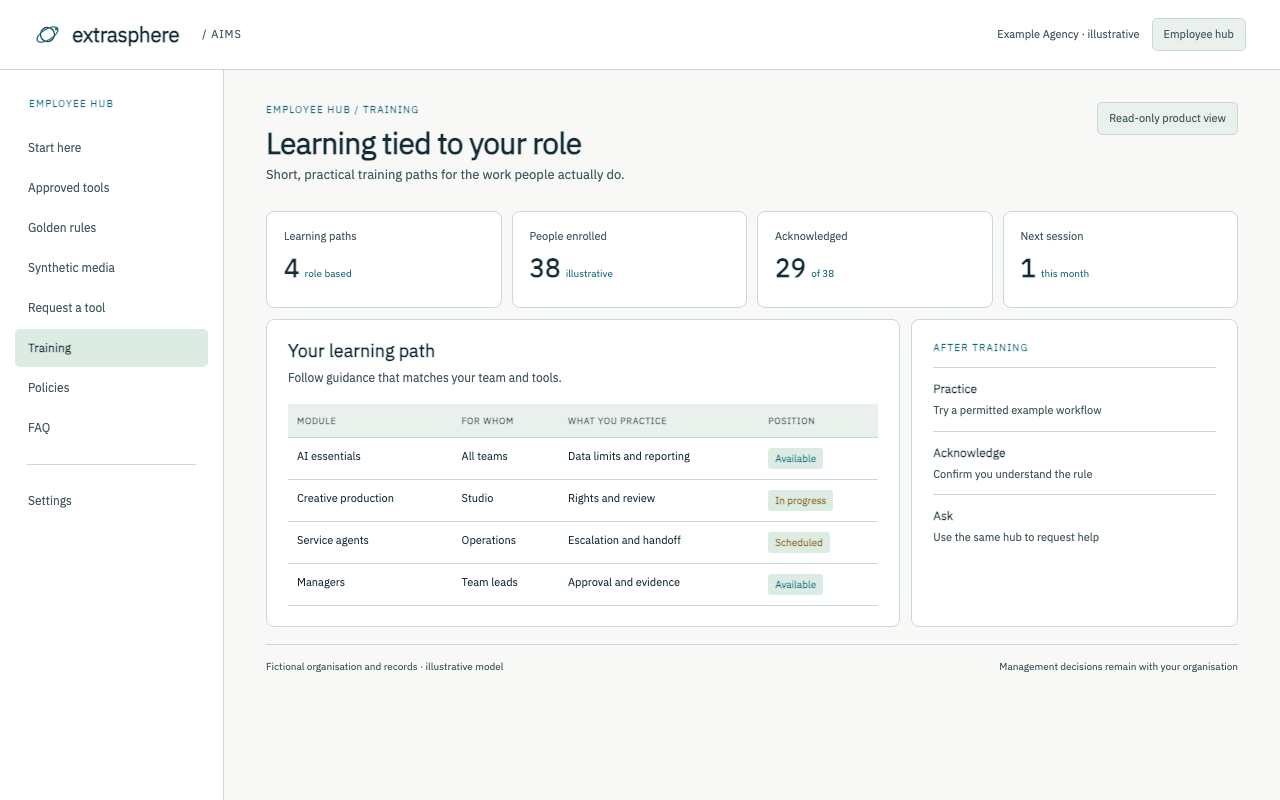
A management view of the AI program.Uses, ownership, controls and urgent decisions.A clear route for new AI work.Requests move from idea to review and approval.Connect requirements to practice.Show applicability, evidence and open actions.Give leaders the decisions they need.A concise view of progress and priorities.Make the safe path easy to find.Approved tools, limits and next steps in plain language.Build capability by role.Practical learning paths tied to real workflows.
AIMS concept screens use fictional Example Agency data. The interactive model below lets you explore every section; a production system is scoped separately.
Explore every section.
Hover, focus or click through the read-only model. All records are fictional.
First visit? Start with AI system inventory to see the scope, Risk register to see a decision, then Reporting to see the leadership handover. This is an illustrative model; a working implementation is separately scoped.
EXTRASPHERE / AIMSExplore the operating system
FICTIONAL AGENCY · READ-ONLY PREVIEW
Management hub / 01
Overview
A single view of the program
Illustrative data
12tracked use cases
3decisions due
Why it matters
AI work has an owner and a next step.
Example recordCreative concept assistantOwner assigned · review in progress
Preview only · No live workflow or customer data
Management hub / 02
Task flow
Make each review visible
Illustrative data
4active stages
2ready for review
Why it matters
A request moves from intake to a documented decision.
Example recordClient-safe concept workflowIntake → data review → approval
Preview only · No live workflow or customer data
Management hub / 03
AIMS conformance
See the operating evidence
Illustrative data
9areas mapped
4actions open
Why it matters
Keep program requirements and supporting records in one place.
Example recordGovernance scopeDraft evidence map · owner assigned
Preview only · No live workflow or customer data
Management hub / 04
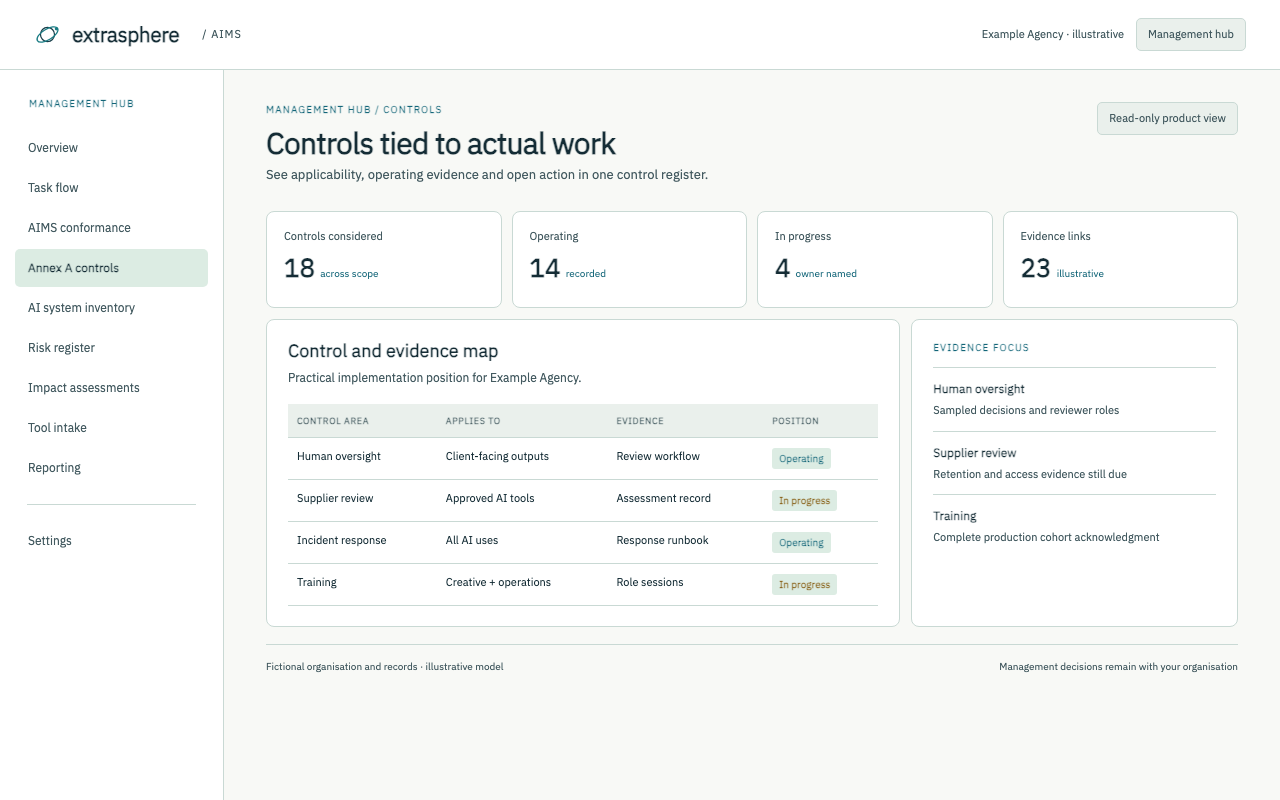
Annex A controls and SoA
Know which controls apply
Illustrative data
18controls considered
6in progress
Why it matters
Record the control, reason, owner and implementation status.
Example recordHuman oversightIn scope · operating check planned
Preview only · No live workflow or customer data
Management hub / 05
AI system inventory
Know what is in use
Illustrative data
12uses recorded
3need a decision
Why it matters
Capture purpose, business owner and allowed data for each use.
Example recordCreative concept assistantConditional · public references only
Preview only · No live workflow or customer data
Management hub / 06
Risk register
Turn concerns into actions
Illustrative data
7risks tracked
2priority actions
Why it matters
Connect a risk to a named owner, treatment and review date.
Example recordUnapproved client-data uploadTreatment: restrict and train
Preview only · No live workflow or customer data
Management hub / 07
Impact assessments
Review the specific use
Illustrative data
5assessments
2under review
Why it matters
Examine people, data, rights and client impact before rollout.
Example recordVoice localization pilotConsent and review steps required
Preview only · No live workflow or customer data
Management hub / 08
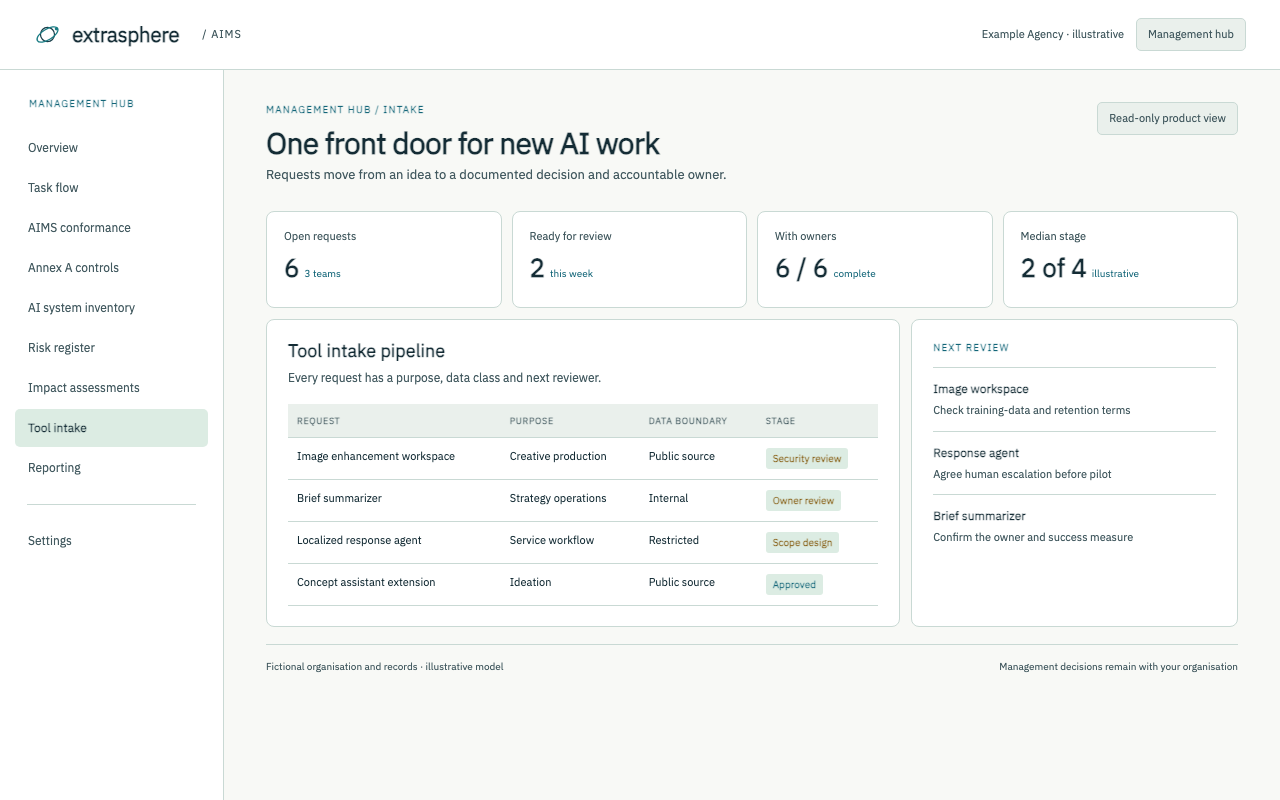
Tool intake pipeline
Route new tool requests
Illustrative data
6requests
2awaiting review
Why it matters
Give staff one clear path from request to decision.
Example recordImage enhancement workspaceSecurity review · creative sponsor
Preview only · No live workflow or customer data
Management hub / 09
Policy library
Keep rules easy to find
Illustrative data
8working policies
2due for review
Why it matters
Connect the rule to the process and its owner.
Example recordAI acceptable usePublished · quarterly review
Preview only · No live workflow or customer data
Management hub / 10
Training and AI literacy
Show who needs what
Illustrative data
4learning paths
1new cohort
Why it matters
Match training to actual roles and tools.
Example recordCreative production essentialsTeam rollout planned
Preview only · No live workflow or customer data
Management hub / 11
Incidents and nonconformities
Respond and learn
Illustrative data
2sample events
1follow-up open
Why it matters
Make reporting simple and track corrective action.
Example recordMisrouted prompt exampleContained · coaching scheduled
Preview only · No live workflow or customer data
Management hub / 12
Audits and reviews
Prepare a useful review pack
Illustrative data
3review cycles
1next meeting
Why it matters
Pull evidence and open decisions into one review.
Example recordQuarterly management reviewAgenda and evidence draft
Preview only · No live workflow or customer data
Management hub / 13
Implementation projects
See delivery work
Illustrative data
4workstreams
2milestones next
Why it matters
Track owners and dependencies across the rollout.
Example recordAgency AI operating modelPilot scope approved
Preview only · No live workflow or customer data
Management hub / 14
Metrics
Measure the right things
Illustrative data
6indicators
2need baseline
Why it matters
Use a small set of signals that can be explained.
Example recordApproved tool coverageIllustrative trend · baseline pending
Preview only · No live workflow or customer data
Management hub / 15
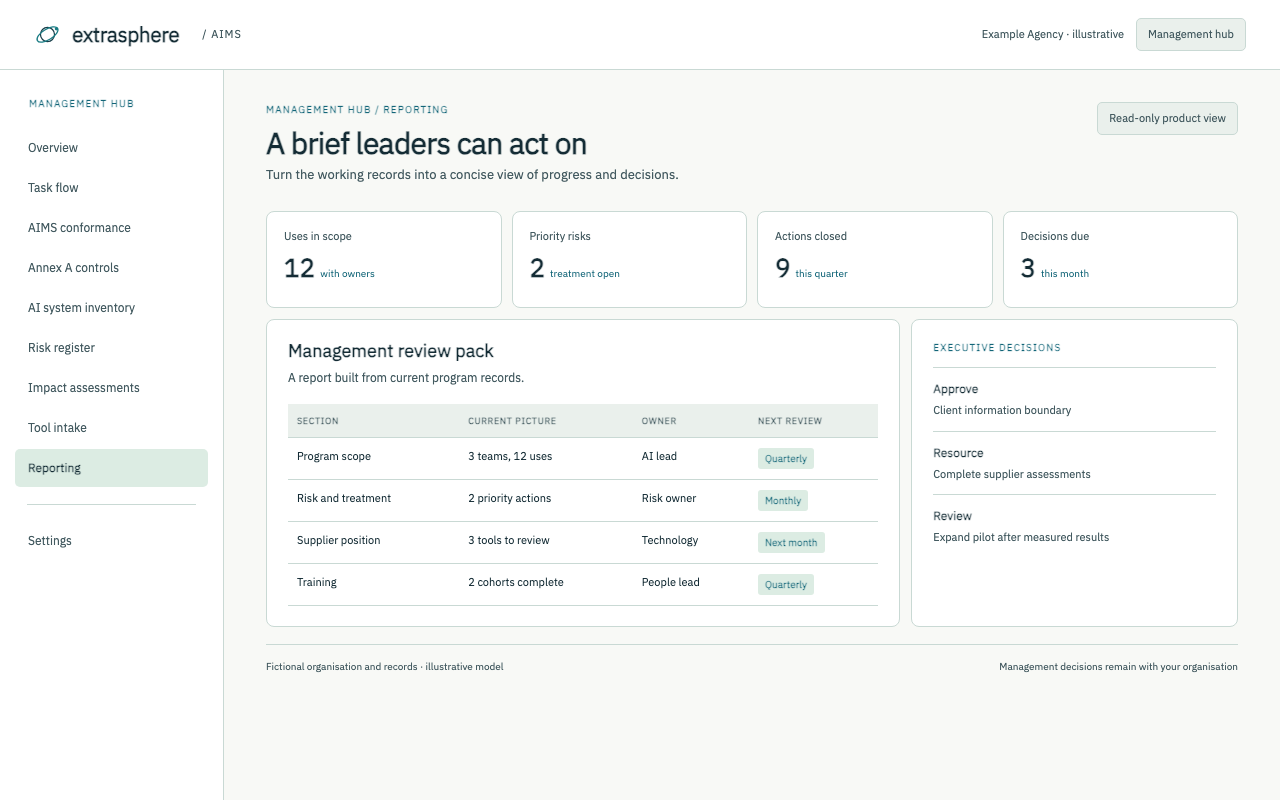
Reporting
Brief leaders clearly
Illustrative data
3report views
1ready to share
Why it matters
Turn records into a concise executive view.
Example recordLeadership AI program briefScope, progress, decisions, next actions
Preview only · No live workflow or customer data
Management hub / 16
M365 wiring
Plan connections deliberately
Illustrative data
4connection types
0live connections
Why it matters
Show where forms, files, identity and notifications could connect.
Example recordTool request routingIllustrative connection only
Preview only · No live workflow or customer data
Management hub / 17
Settings
Define the program boundary
Illustrative data
3role groups
1review cadence
Why it matters
Set the scope, roles and review rhythm before scaling.
Example recordProgram configurationExample Agency · fictional setup
Preview only · No live workflow or customer data
Employee hub / 01
Start here
A clear front door
Illustrative data
3first actions
1place to start
Why it matters
Find the rule, the approved tool and the right person.
Example recordWhat can I use today?See approved tools and data limits
Preview only · No live workflow or customer data
Employee hub / 02
Approved tools
Know what is allowed
Illustrative data
8approved uses
2conditional
Why it matters
Plain-language guidance connects tools to permitted data.
Example recordConcept assistantApproved for public-source ideation
Preview only · No live workflow or customer data
Employee hub / 03
Golden rules
Make safe use simple
Illustrative data
5practical rules
1human owner
Why it matters
Short guidance helps people make the right decision at the point of work.
Example recordClient informationKeep it out of unapproved tools
Preview only · No live workflow or customer data
Employee hub / 04
Synthetic media
Handle creative rights
Illustrative data
4decision checks
1consent path
Why it matters
Clarify disclosure, likeness and review expectations.
Example recordLocalized voice sampleConsent and human review required
Preview only · No live workflow or customer data
Employee hub / 05
Request a tool
A clear intake path
Illustrative data
3facts to provide
1review route
Why it matters
Staff can see what information a future request would need.
Example recordNew tool ideaPurpose, data and owner
Preview only · No live workflow or customer data
Employee hub / 06
Report a concern
Make escalation easy
Illustrative data
3concern types
1response owner
Why it matters
Staff know when and how to flag a problem.
Example recordUnexpected outputPause use and alert the program owner
Preview only · No live workflow or customer data
Employee hub / 07
Training
Learn for the role
Illustrative data
4learning paths
1next session
Why it matters
Training follows the actual work, not a generic syllabus.
Example recordCreative productionBriefing, practice and acknowledgment
Preview only · No live workflow or customer data
Employee hub / 08
Policies
Find the full rule
Illustrative data
8policy topics
1current index
Why it matters
A short guide points to the controlling record.
Example recordAcceptable useOwner and review date visible
Preview only · No live workflow or customer data
Employee hub / 09
Project hubs
Follow the work
Illustrative data
3pilot areas
1current pilot
Why it matters
Keep project context and decisions close to the team.
Example recordAI-assisted localizationPilot boundaries and review steps
Preview only · No live workflow or customer data
Employee hub / 10
FAQ
Answer common questions
Illustrative data
6question themes
1contact path
Why it matters
Replace scattered advice with consistent answers.
Example recordCan I use client material?Check the approved tool and client terms
Preview only · No live workflow or customer data
Hover or focus on a section to explore it. Tap or click to keep it open. All records are fictional and the preview cannot change data.
See it shaped for your agency.
We start with your teams, tools, data boundaries and decisions. Then we scope the implementation, test the workflows, train owners and hand over the operating system.
AIMS is an advanced consulting engagement. The model is illustrative; integrations and production controls require an agreed scope.