Answer your client’s AI questions.
Agency edition · Industry guide and worked example included
Use the policies and records you already have to prepare clear answers, flag missing evidence, and send a reviewed response.
For you if a client has sent AI questions with their vendor review.
Plan 60 to 90 minutes for a first response pass. Evidence collection and authorized review take additional time. Planning estimates assume the relevant information is available. They are not completion or approval guarantees.
See what you’ll have readyAlso in AI Readiness Bundle · $649 or AI Management Bundle · $849.
What you’ll have ready
- Answers grounded in your records
- Adapt the answer bank to the client’s questions and your actual practices.
- Evidence and visible gaps
- Reference supporting records and make unresolved items clear before anyone sends the response.
- A response you can reuse
- Export a buyer pack for review, and keep the answer bank for the next client request.
Sample answers need adaptation and human review. Covers AI questions, not a complete general security questionnaire.
Start where you are
Bring the client’s AI questions and the policies, tool lists or prior answers you already use. Start with the records you have today.
Excel and CSV import included.
- Bring your action records and past questions and answers.
- Match the columns and review duplicates before adding them to the dashboard.
- Choose Manual import, or Prepare a file with your AI with the included prompt and your work-approved assistant.
- Manual import works without any AI tool. Your file is read on your computer and nothing is sent anywhere.
- Import brings in action records (follow-ups, owners, dates) or past questions and answers. Past answers arrive as unreviewed drafts; reuse one through the response register, where the usual review applies.
Free guide: How to answer the AI section of a security questionnaire
Draft the answers
Use the answer bank to prepare a response that reflects your actual work.
Check the evidence
Reference your existing records. Ask the relevant owners to resolve or explain gaps.
Review and send
Export the buyer pack, get your normal review, and return it through the client’s requested channel.
See the workspace
Download the ZIP, extract it, and open START-HERE.html in a current desktop version of Chrome, Edge, Safari or Firefox. Save your work file to keep a copy you can load next time.
Files included in your download
- START-HERE.html The local dashboard for answers, evidence, and the buyer pack.
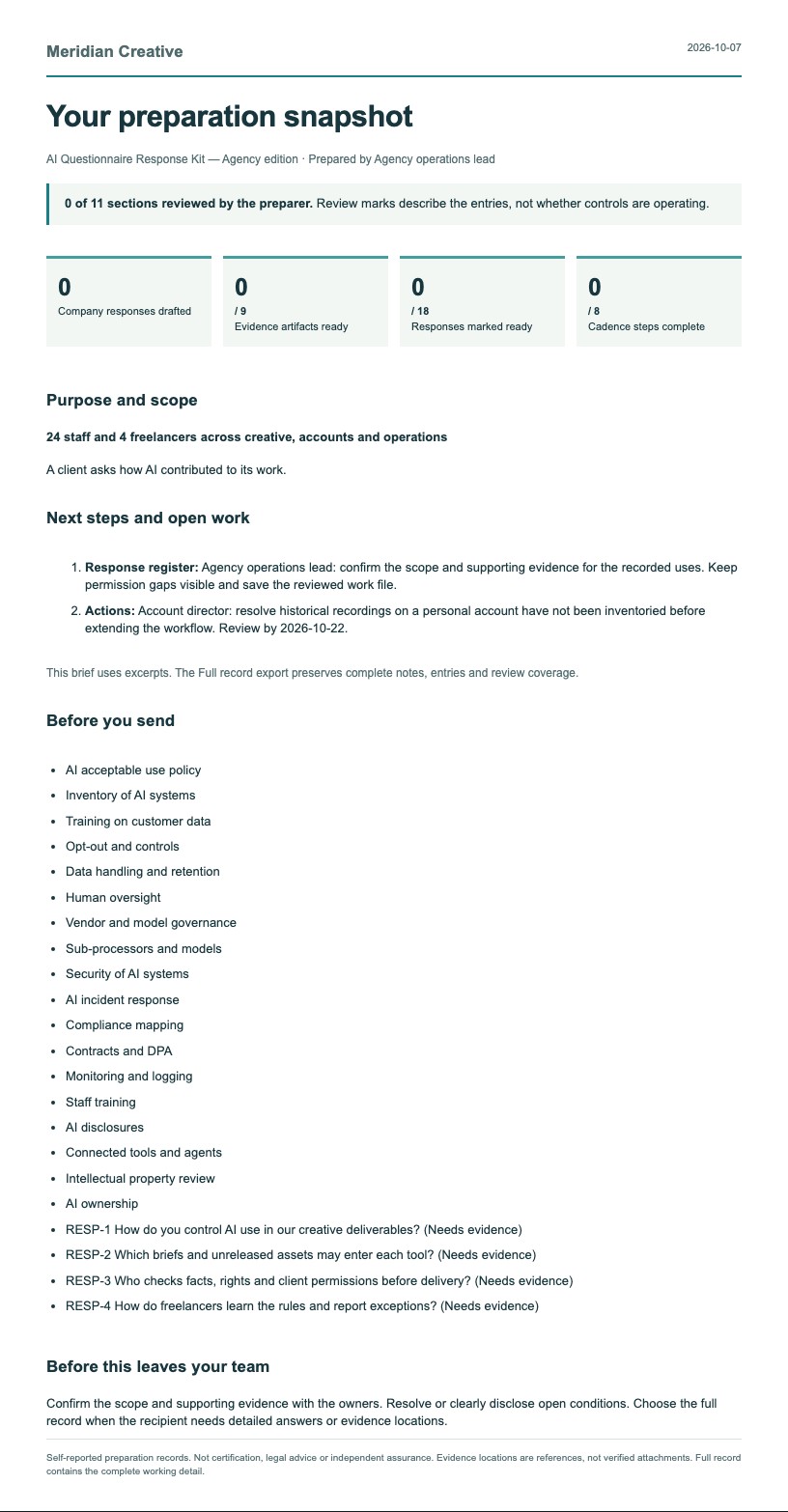
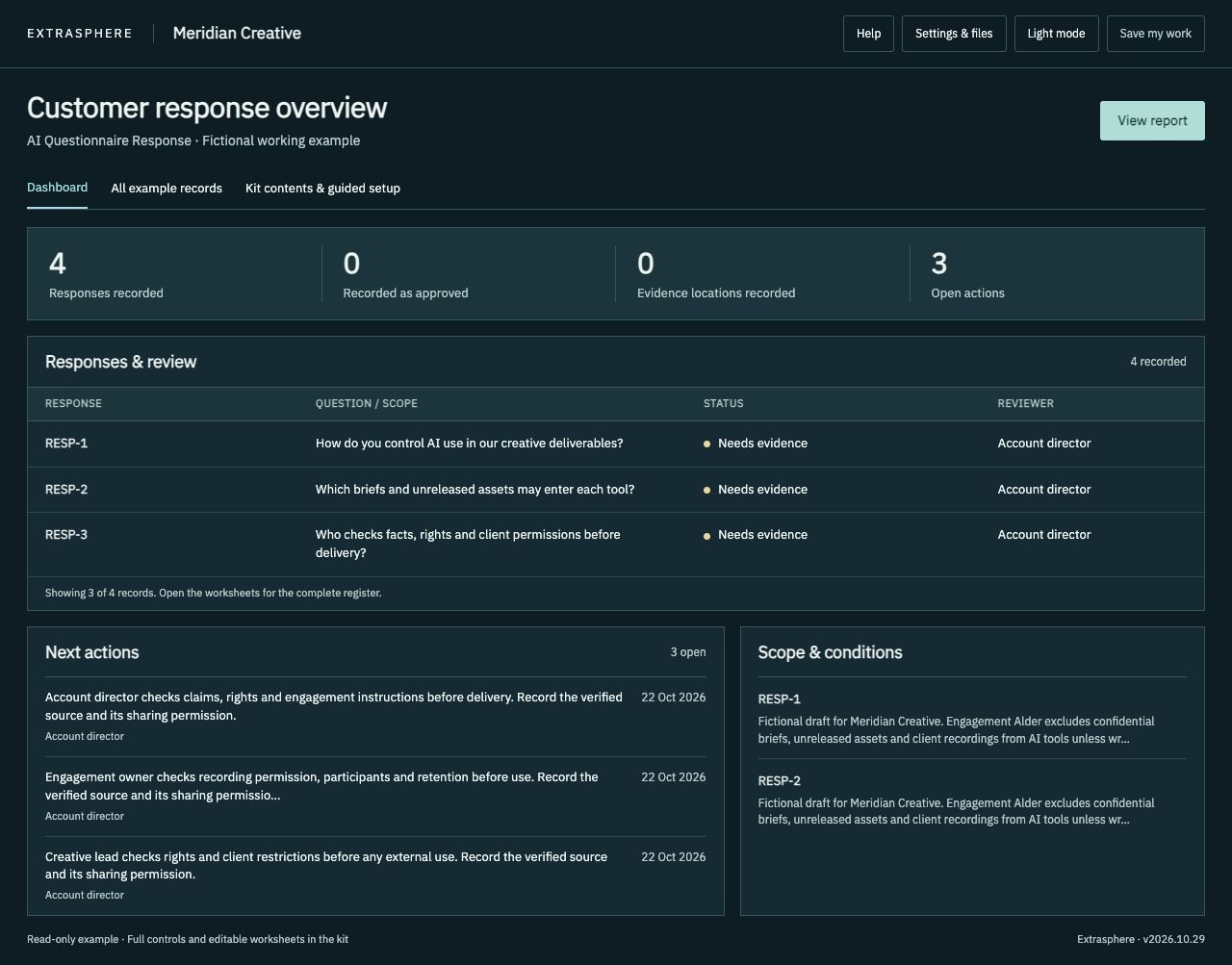
- Sample-Dashboard.html A completed fictional Meridian Creative example to explore.
- Sample-Report.pdf The fictional example’s report, watermarked Fictional example.
- Sample-Report.html The same fictional report as a web page.
- KIT-GUIDE.html What each part of the kit is for.
- INDUSTRY-GUIDE.html Questions, examples and starting points for your industry.
- AI-Completion-Guide.html Optional instructions for working with your approved AI assistant.
- STAFF-EXERCISE.txt A short exercise to run with your team.
- Reference/License-and-scope.txt A copy of your license.
- Reference/Method.html How the kit is organized and what it covers.
- Reference/Sources-and-scope.txt Scope, source notes and package revision.
- Reference/Templates.docx Answer and evidence worksheets.
- Reference/Templates.pdf The same worksheets for reading or printing.
- READ-ME-FIRST.txt The first steps, in order.
- CHECK-YOUR-COMPUTER.html A one-minute check before you start on a work laptop.
- IF-SOMETHING-IS-BLOCKED.txt Help with browser and work-computer restrictions.
- LICENSE.txt, PURCHASE-TERMS.txt and REFUND-POLICY.txt Your license, purchase terms and refund policy.
- manifest.json Every file with its SHA-256 checksum, to check your download.
Using this with other kits
The Policy approval record moves in as evidence E-01. Shadow AI inventory moves in as evidence E-02. Both use Move records to another kit.
Use your existing owners and approval process. The Toolkit helps record internal decisions; the Questionnaire kit helps prepare answers to a client’s AI questions.
Questions
License
Standard kits cover internal use by one purchasing company. A consultancy can use a standard kit for its own business. Delivering branded kit copies to clients requires the separate Practitioner License and its client allocations.
Updates
Updates are included for 12 months from purchase.
Refund
Not the right fit? Contact us within 14 days of purchase for a refund. See our refund policy.
Built around Creative, marketing and communications teams
Bring creative tools, freelancer use and client restrictions into a working record your team can maintain.
- Which briefs and unreleased assets may enter each tool?
- Who checks facts, rights and client permissions before delivery?
- How do freelancers learn the rules and report exceptions?
Your download includes INDUSTRY-GUIDE.html, STAFF-EXERCISE.txt and a worked Meridian Creative example alongside the complete core kit. The editable workspace starts with your own blank records.
Examples cover everyday agency operations. Rights, licensing and client-contract decisions need your normal specialist review.